
Review the customer’s workspace, then create a proposal from Proposals and select that existing customer.
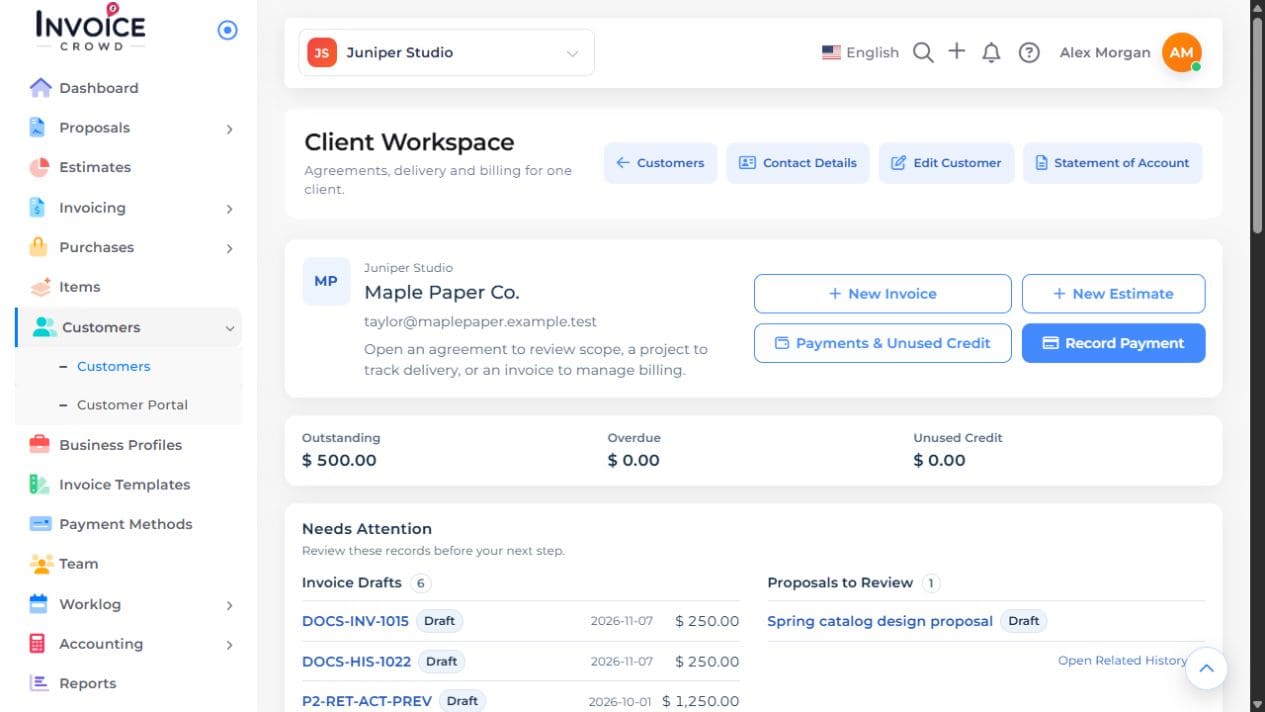
1. Open the client workspace
Open Customers and choose Client Workspace beside the intended customer. Confirm the name and business.
2. Start the proposal
Keep the same business selected, open Proposals, and choose New Proposal. Select a template or Start Blank, then choose Next. In Proposal Details, enter Proposal Name and select the intended existing Customer. Choose Create Proposal to open the editor.
3. Complete the offer
Enter the name, expiry, scope, prices, and terms. Check that no details from a previous customer remain.
4. Save and verify
Save the proposal and preview all pages. Confirm it appears among the intended customer’s agreements before sending it.