
Add an existing team member to the project they will work on.
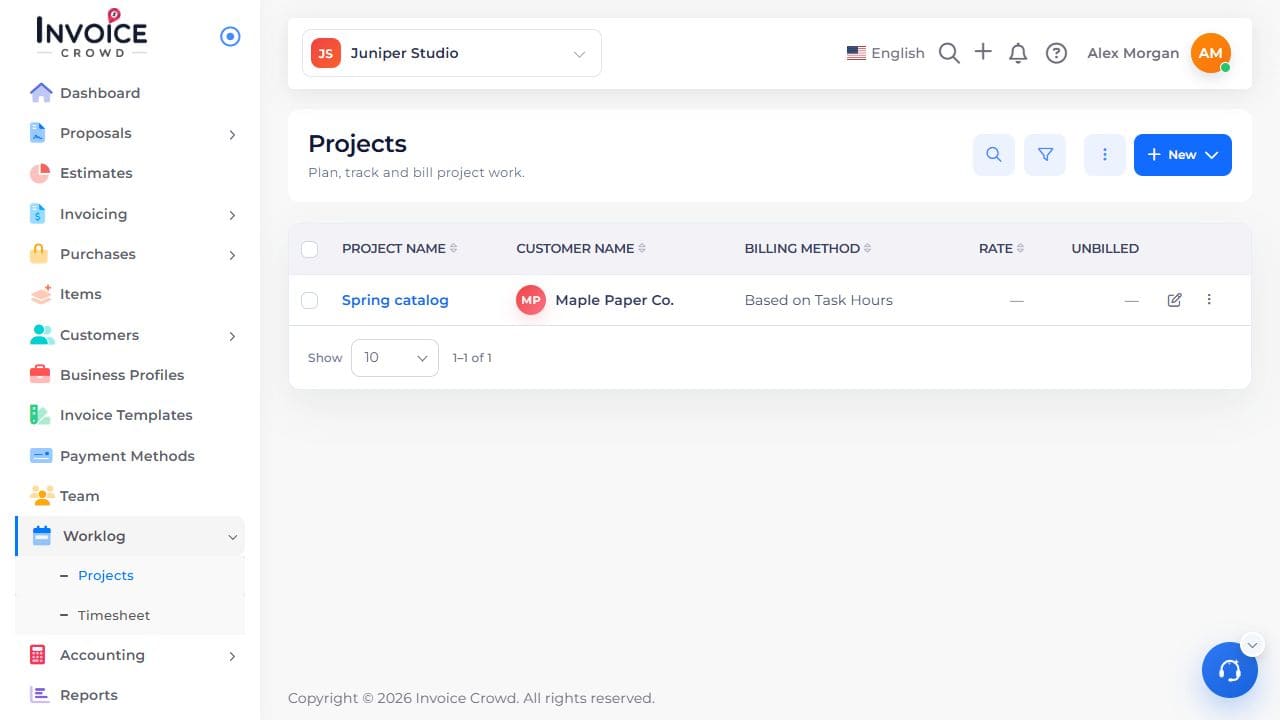
1. Open the project
Go to Worklog → Projects. Select the project name. Check the customer shown under the name.
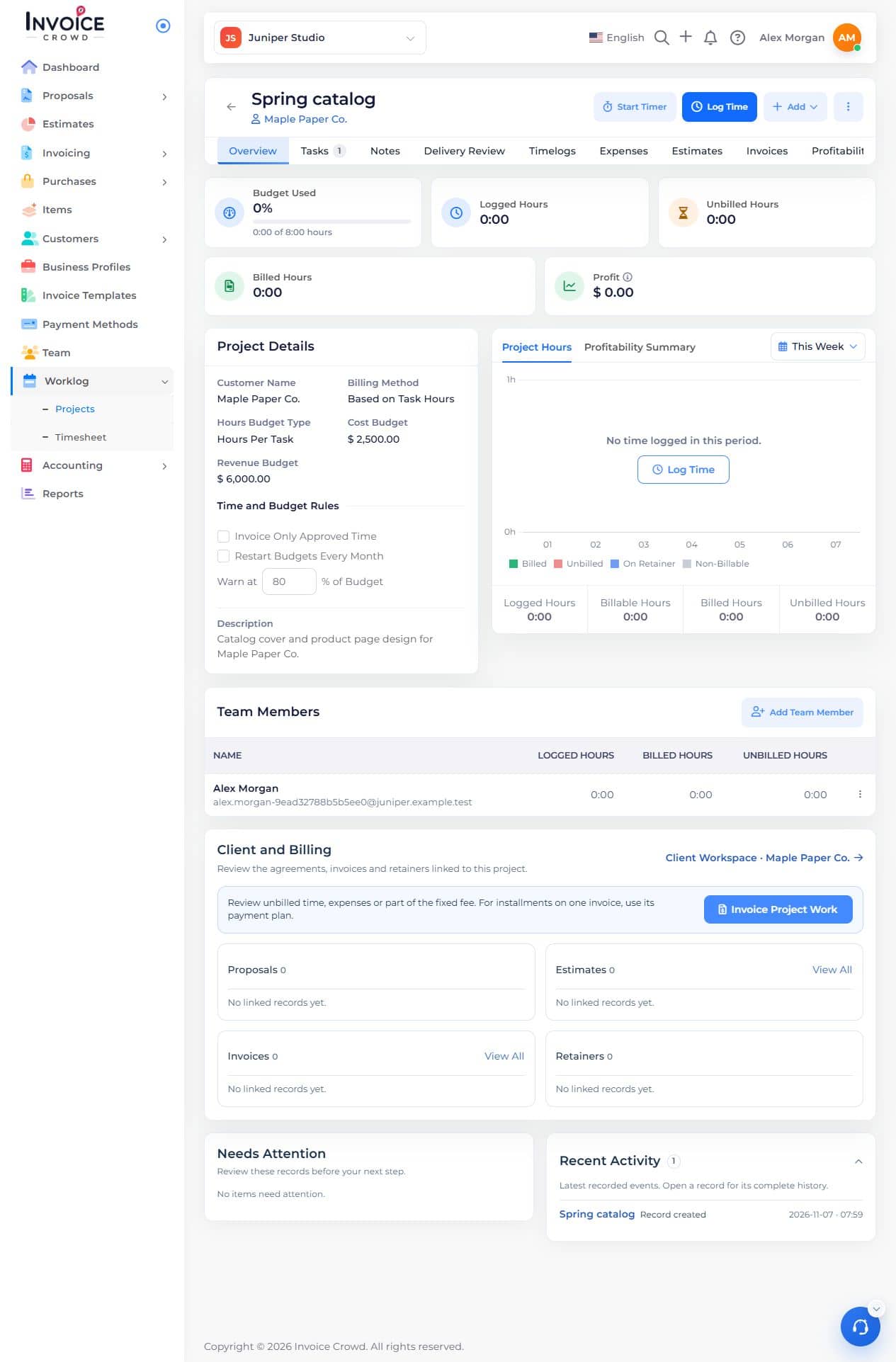
2. Open the member form
On Overview, find Team Members and choose Add Team Member.
3. Choose the person
Select the member. Enter a billing rate or budget hours if the project uses those settings. Cost per Hour (internal) is your cost, not the rate billed to the customer.
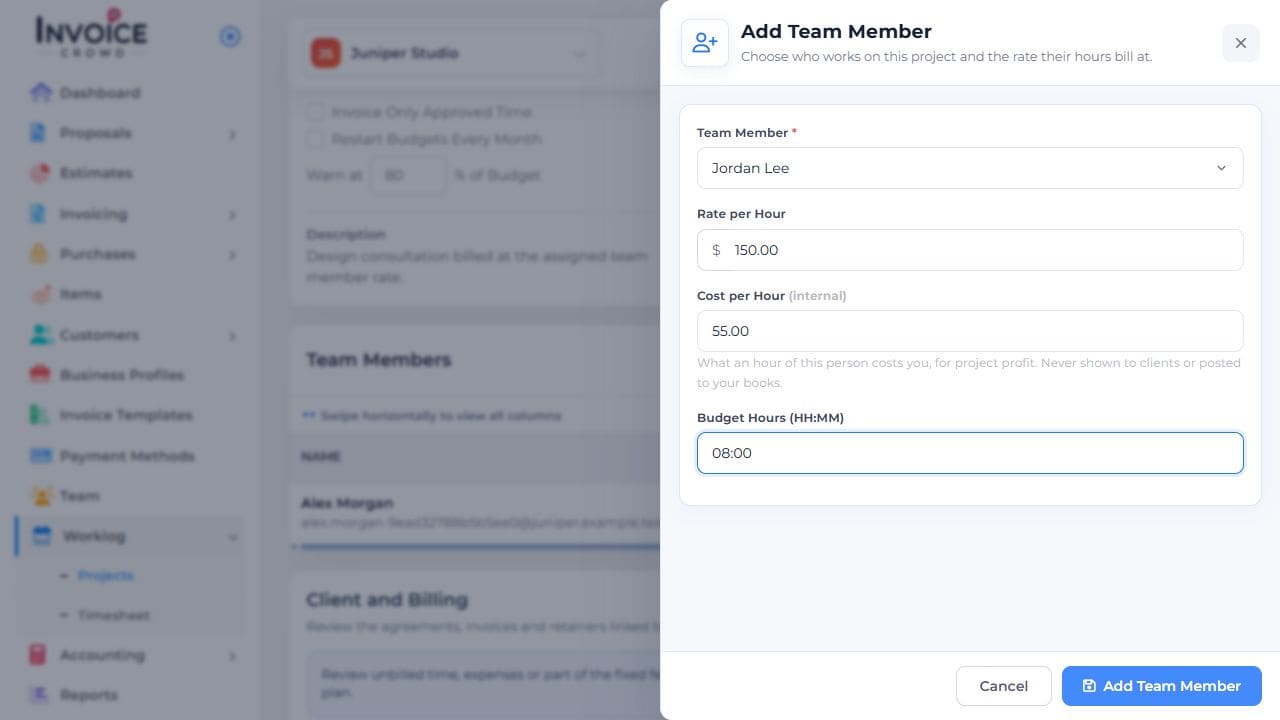
4. Save and check
Choose Add Team Member in the form. Confirm that the person appears in the project’s team table.