
Add a field for information you collect on projects, such as a purchase order number.
1. Open Custom Fields
In Worklog → Projects, open More → Custom Fields. Choose Add New.

2. Name the field
Enter the label and choose its type: Text, Date, URL, Number, or Textarea. Add a default value or help text if useful.
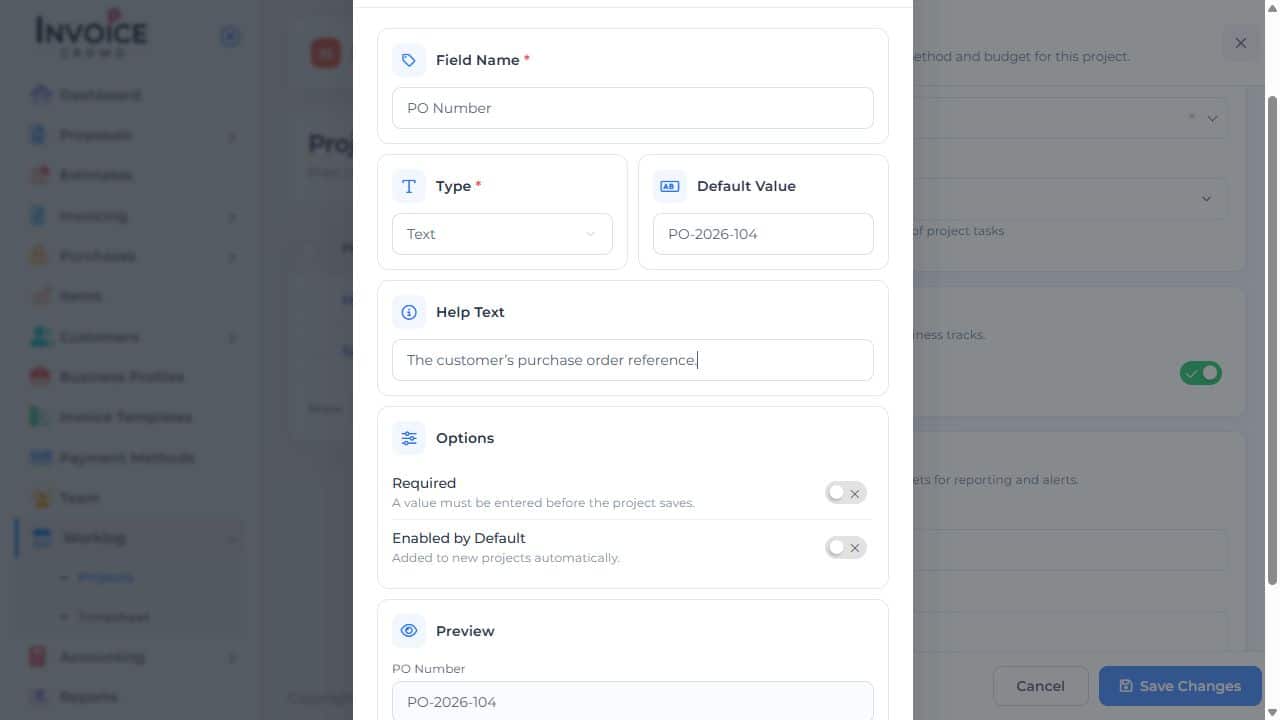
3. Choose when it appears
Turn on Required if the project cannot be saved without an answer. Turn on Enabled by Default if the field should be added automatically to new projects. Select Save Custom Field.