
Let the customer choose a payment amount, with an optional minimum.
1. Open Manage Payments
Go to Invoicing → Invoices. Find the invoice, check its customer and outstanding balance, and open Manage Payments.
2. Choose Partial Payment
In Payment Options, choose Partial Payment. This changes the choices on the customer payment page.
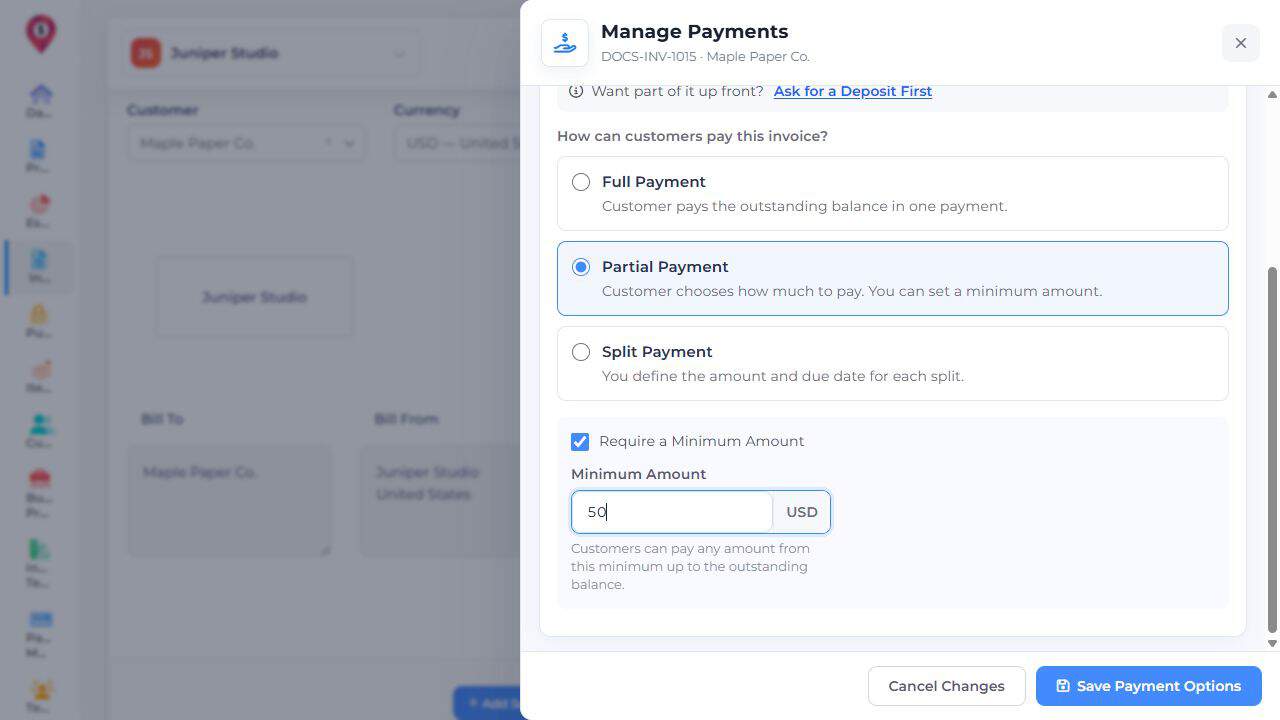
3. Set an optional minimum
If needed, select Require a Minimum Amount and enter Minimum Amount. Customers can pay from that amount up to the outstanding balance. Read any restriction shown beside the choice.
4. Save Payment Options
Choose Save Payment Options. Reopen Payment Options to check the selected mode and minimum. Changing this setting records no payment.
5. Check the customer page
Preview the invoice and review its payment choices. After a genuine payment, check Manage Payments → History and the outstanding balance.