
Choose what the cost was for separately from how it was paid.
1. Open the expense
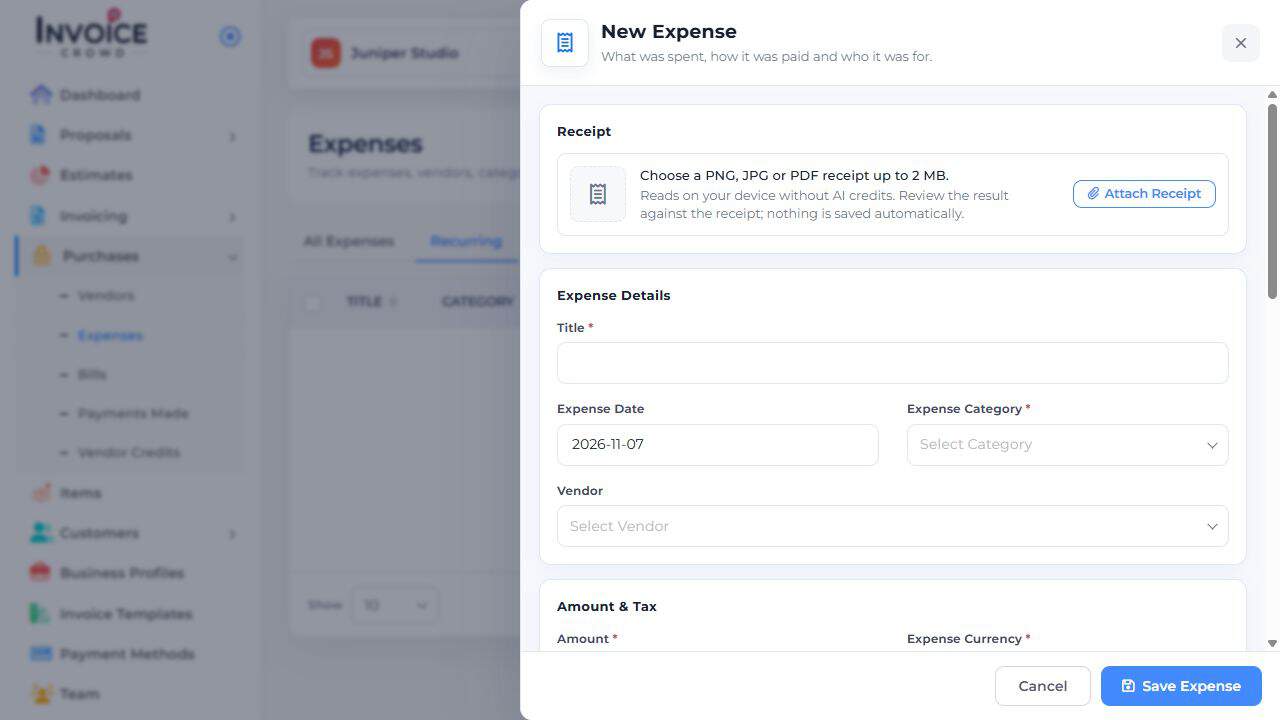
Go to Purchases → Expenses and choose New Expense, or edit the intended expense.
2. Classify the cost
Enter its title, date, amount, currency, and Expense Category. A category such as office supplies describes what was purchased.
3. Choose the paying account
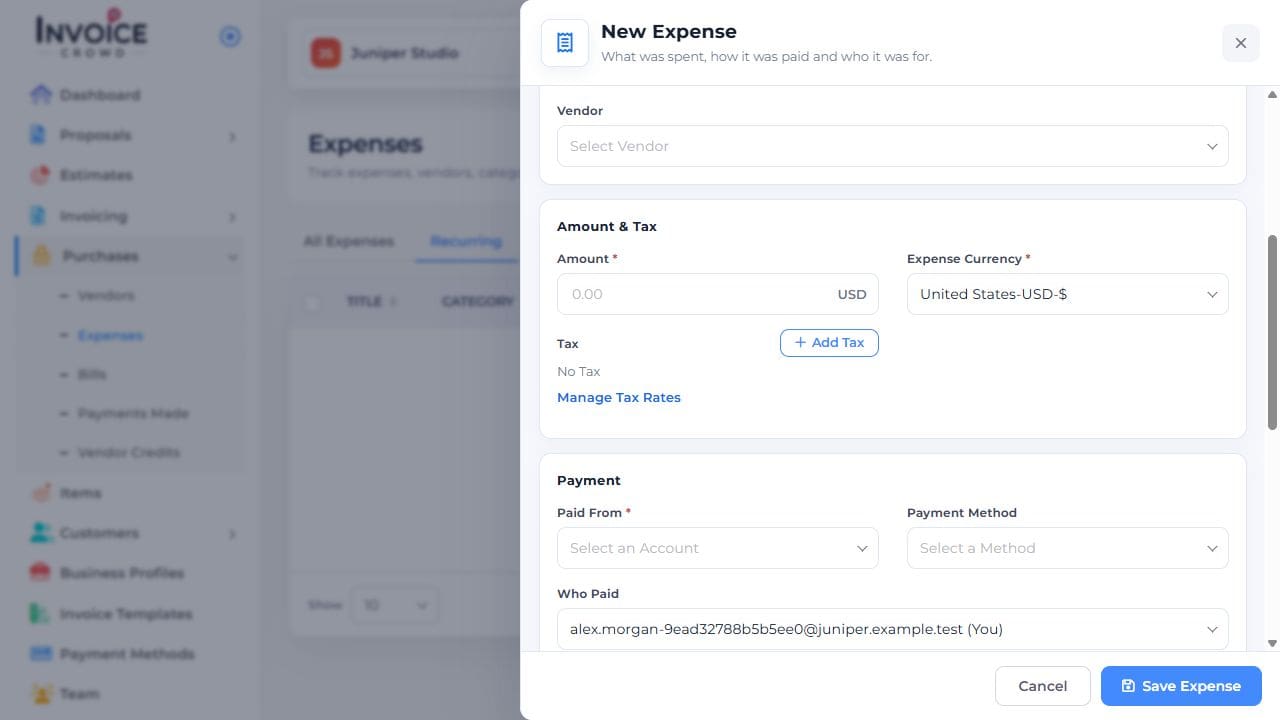
Under Paid From, choose the account that actually paid. Review Payment Method and Who Paid separately if needed.
4. Save and verify
Select Save Expense. Reopen the record to confirm its amount, category, and paying account. Do not add another expense if a bill and its payment already represent the same cost.