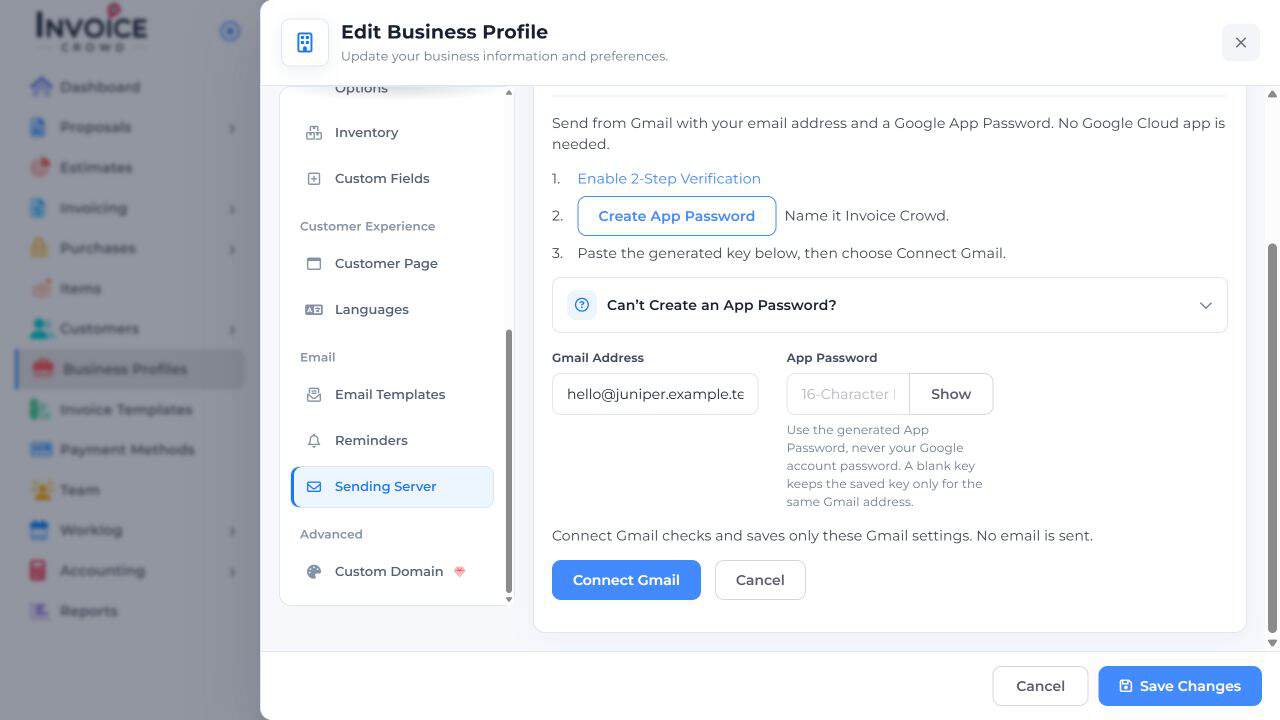
Create a password just for Invoice Crowd when your Google account supports it.
1. Open Google’s setup
Go to Business Profiles → Edit → Sending Server → Gmail App Password. Select Enable 2-Step Verification if it is not already on in Google.
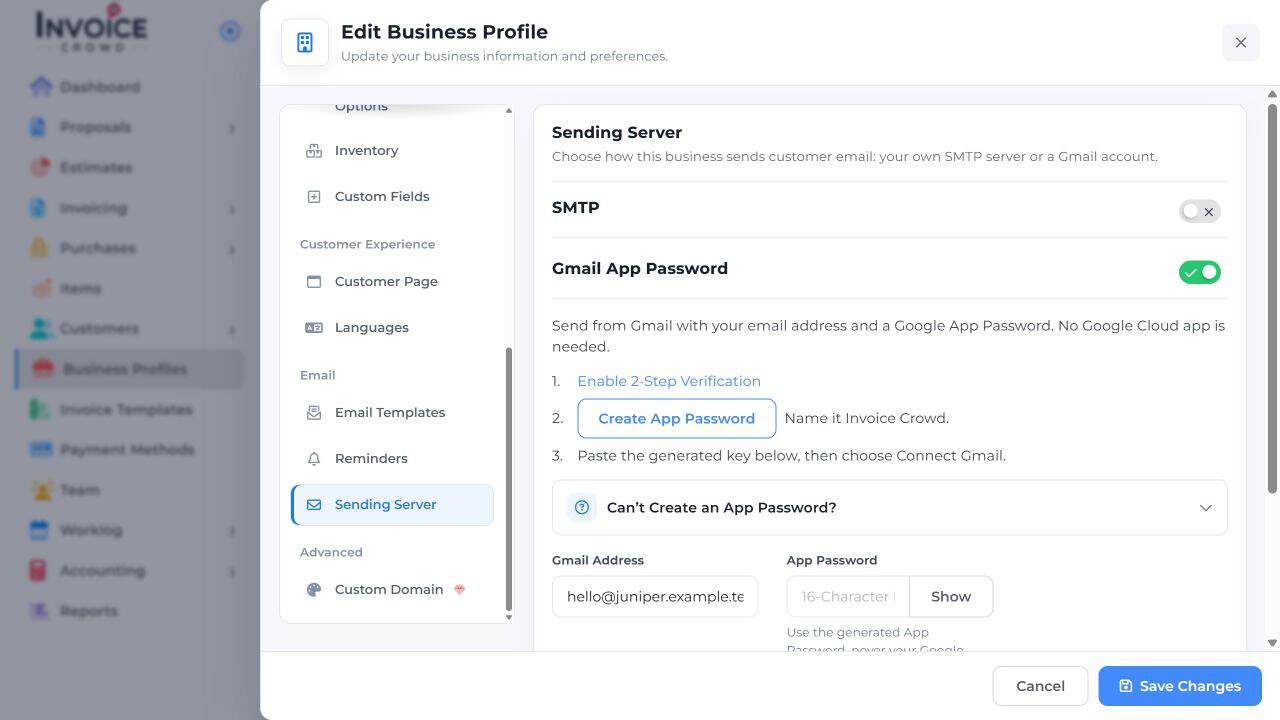
2. Generate an app password
Choose Create App Password, name it Invoice Crowd in Google, and generate the password. If Google does not offer this option, check Google’s account requirements.
3. Connect the same address
Return to Invoice Crowd. Enter the matching Gmail address and generated password. Select Connect Gmail and check its status.