
Check your current plan and use the instructions supplied with your particular lifetime purchase.
1. Check the account
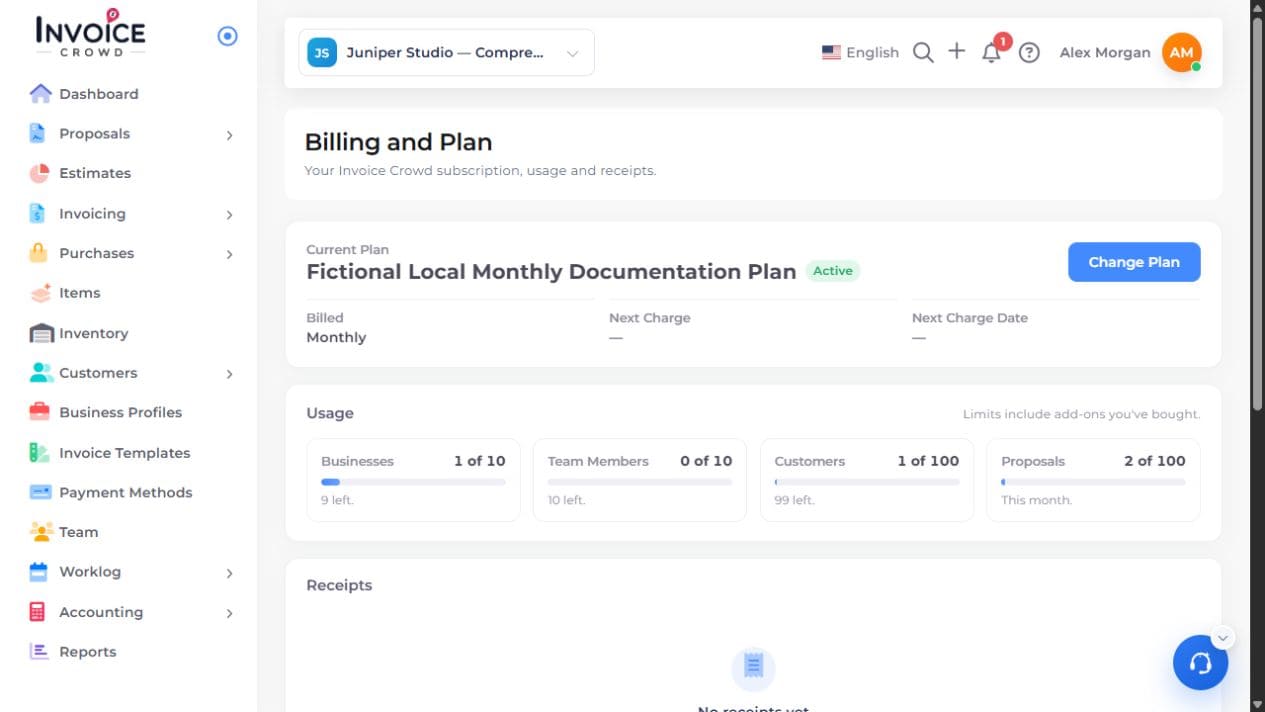
Sign in to the account associated with the purchase. Open Billing and Plan and review Current Plan, status and any renewal information.
2. Compare the purchase confirmation
Compare the plan name and limits with the original seller’s purchase confirmation. Keep the order reference and the account email ready.
3. Use the purchase instructions
For an unused code, follow the redemption link and instructions provided for that specific purchase. If those instructions lead to a missing field or an error, contact Invoice Crowd support with the order reference, account email and visible message.
4. Verify the account after resolution
When redemption or support review is complete, reopen Billing and Plan. Check the saved plan and limits before assuming a feature is included.