
Use a custom field for a whole-estimate detail, such as a project reference.
1. Open Document Options
Open Business Profiles. Select Edit beside the business you want to change, then choose Document Options, then Estimates.
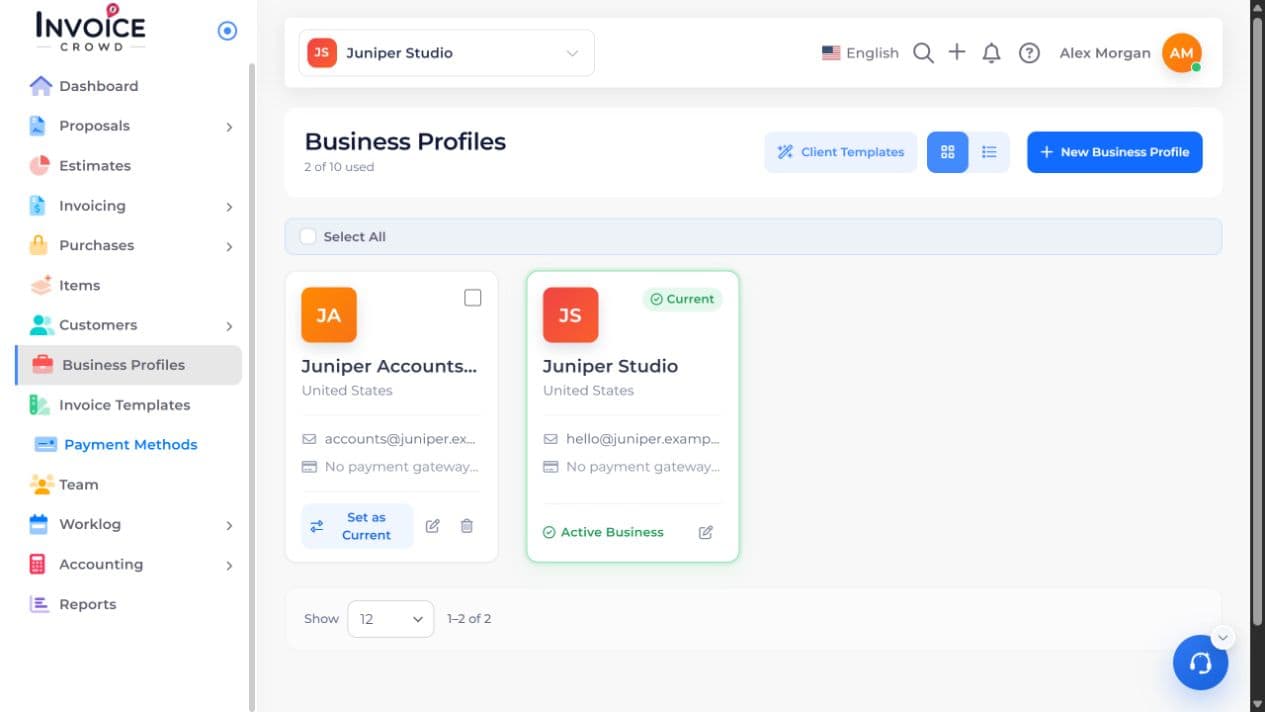
2. Choose the setting
In Estimate Options, turn on Custom Fields to show field editing controls. Select Save Changes.
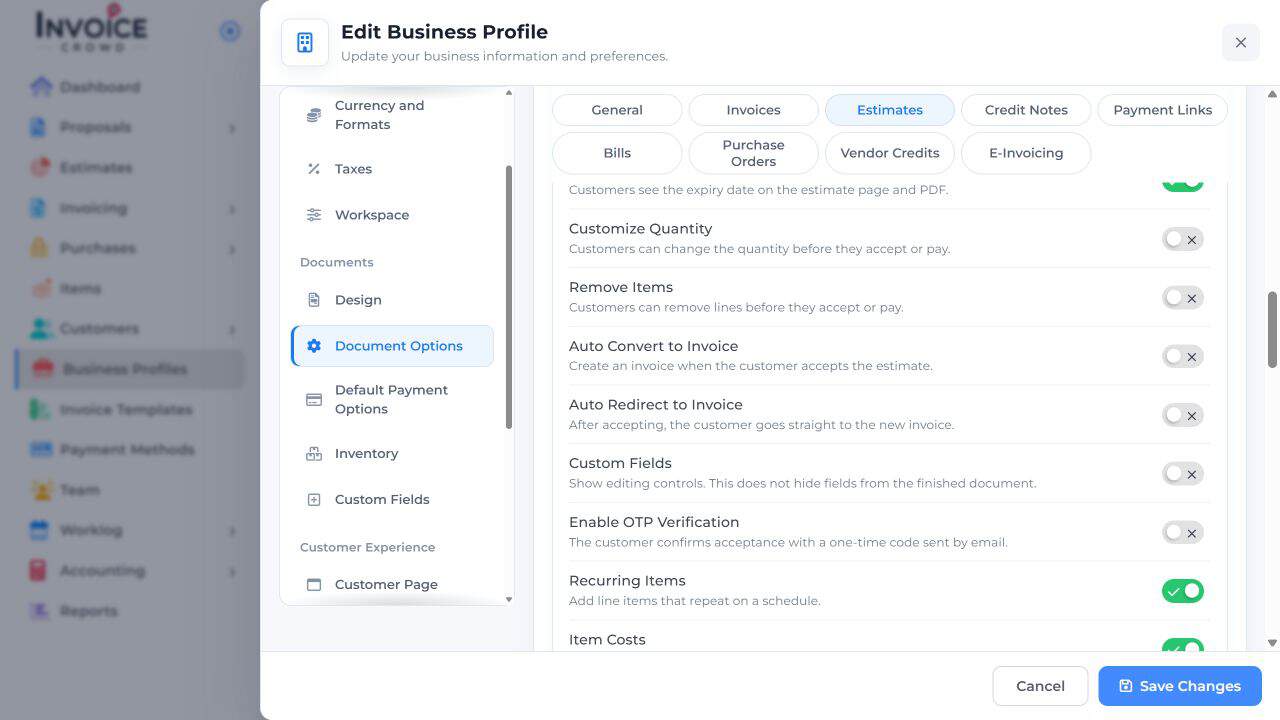
3. Set your preference
Open the estimate draft, add the field and enter its value. To reuse a field, create it under the business profile’s Custom Fields section.
4. Save and check the result
Save the estimate and preview it to check the label, value, and position. Turning off the editing controls does not hide a field already on the finished document.