
Save a draft to check what your customer will see. You decide when to send it.
1. Start an invoice
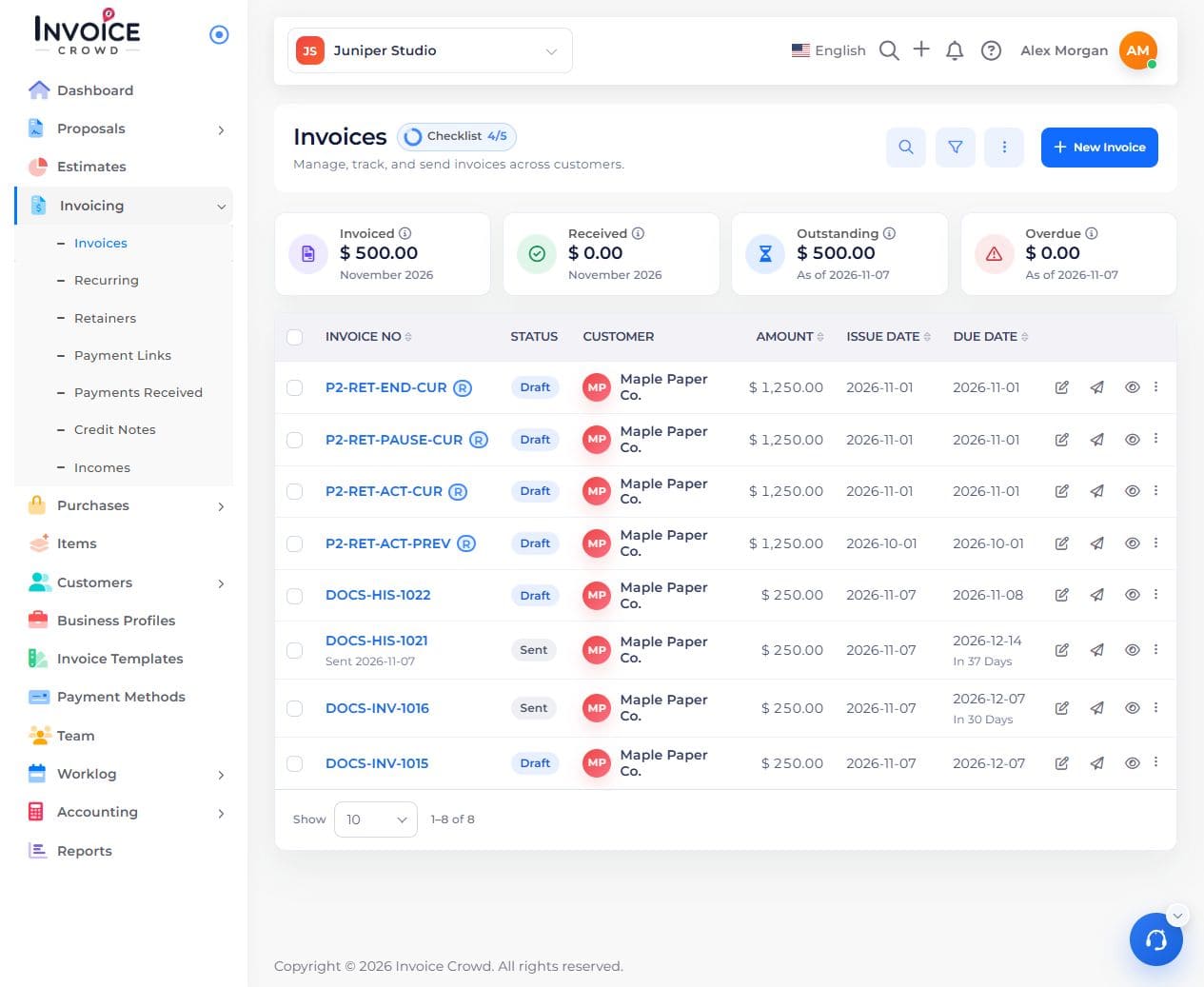
Open Invoicing → Invoices and select New Invoice. If the template picker opens, choose the design you want to use.
2. Choose the customer and dates
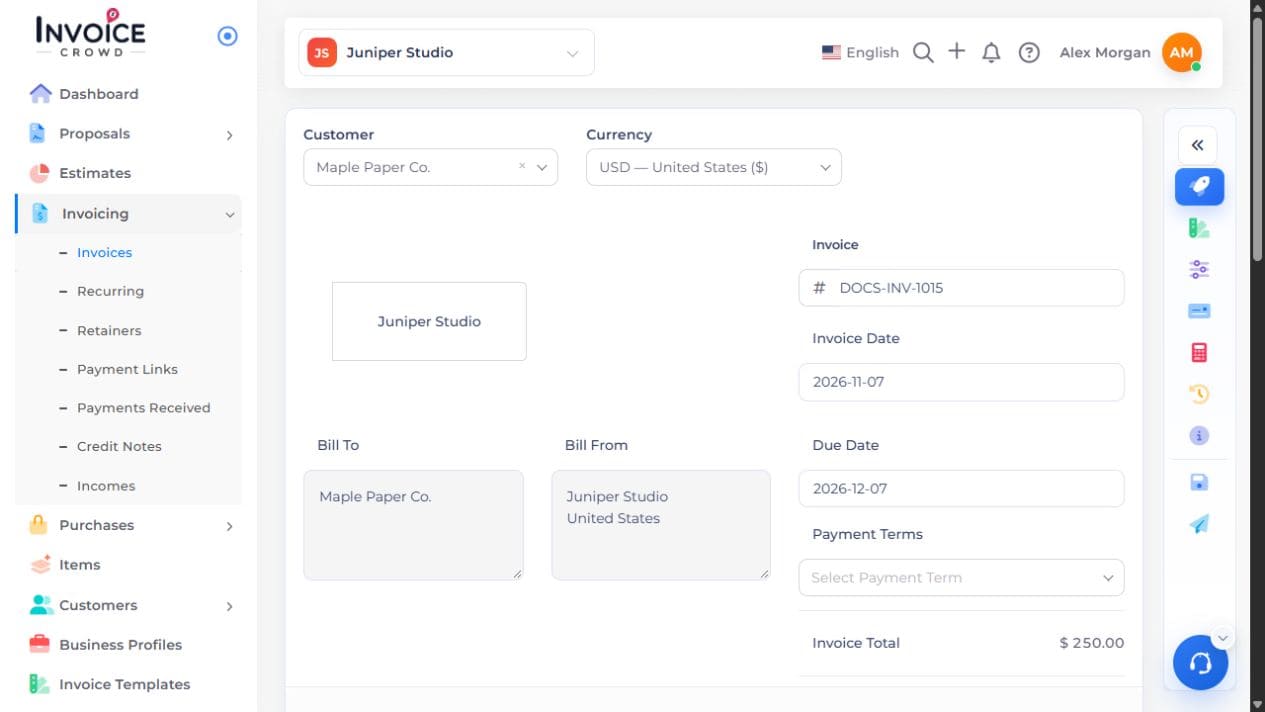
Select the Customer, or choose Add New Customer. Check the currency, invoice number, invoice date, and due date.
3. Add what you are charging for
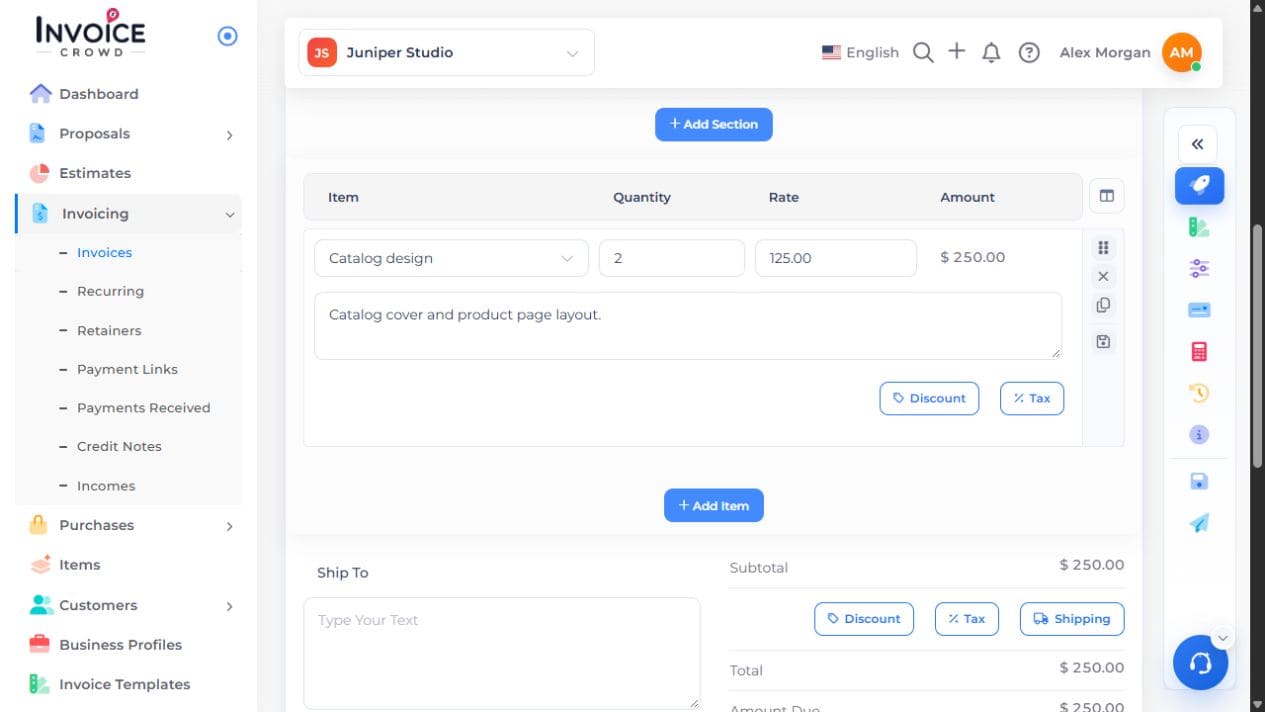
Add a product or service. Enter its quantity and rate, then add any tax or discount that applies. Compare the invoice total with the amount you intend to charge.
4. Save, then preview
Open Actions and select Save. Wait for the save to finish, then select Preview. Check the customer, due date, line items, and total on the saved copy.
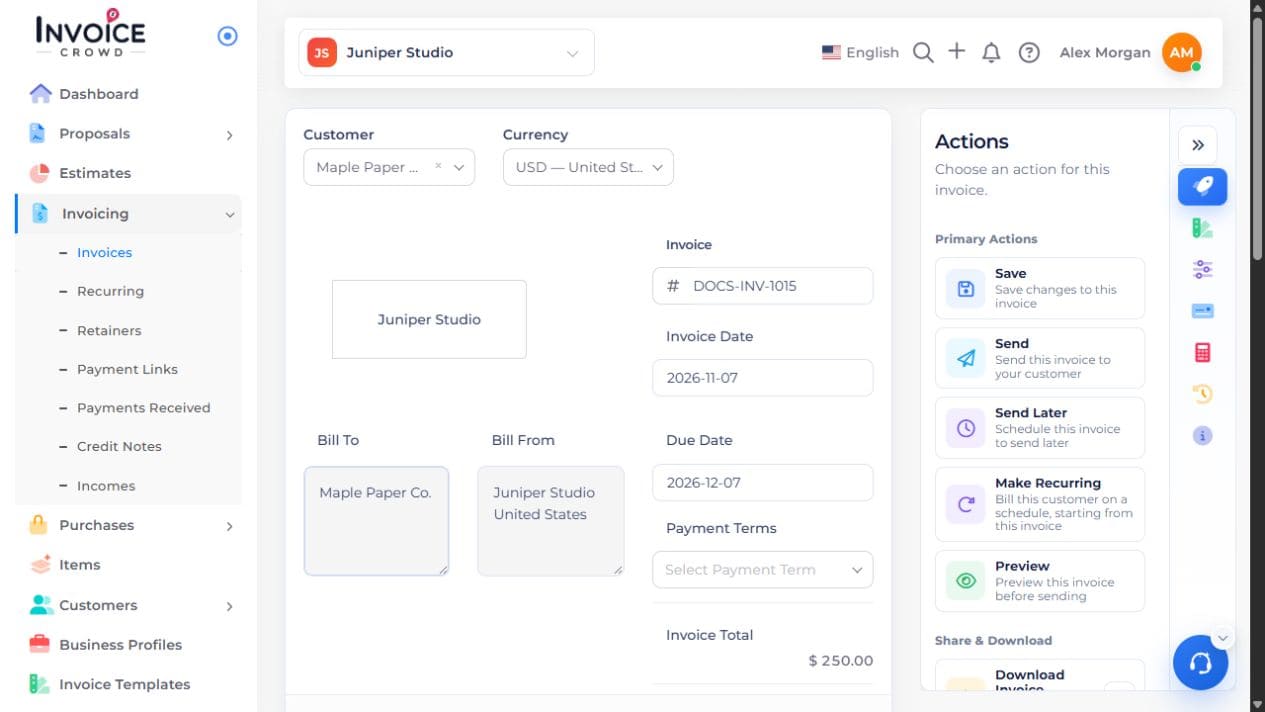
If the preview shows an older version, return to the editor, save your changes, and open Preview again. Use Send only when you are ready to email the customer.