
Hide the overdue label on the customer’s copy without changing the invoice balance or due date.
1. Open Document Options
Open Business Profiles. Select Edit beside the business you want to change, then choose Document Options, then Invoices.
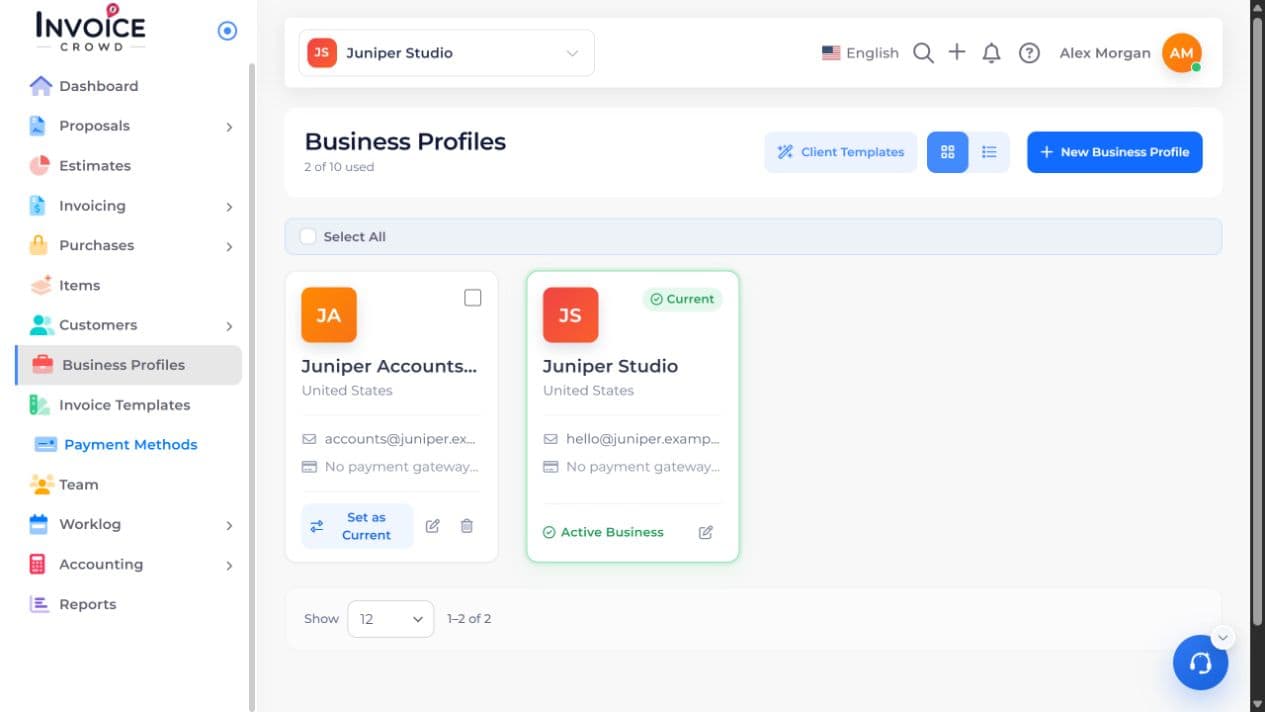
2. Choose the setting
In Invoice Options, turn on Hide Overdue. Leave it off if customers should see the status.
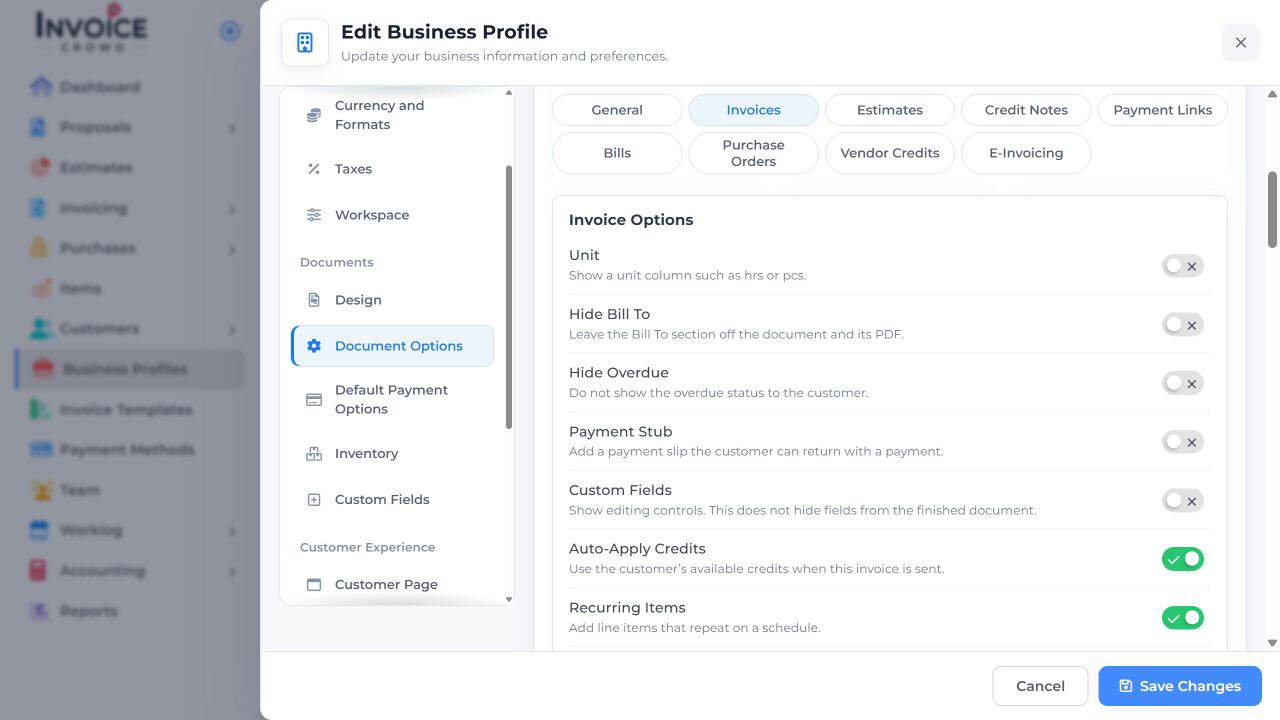
3. Save Changes
Select Save Changes. Review the option on the intended invoice and save the document if you change it there.
4. Save and check the result
Open its customer preview. The invoice can still be overdue in your own list and reports.