
Show customers how to pay by bank transfer without recording money before it arrives.
1. Create a Payment Note
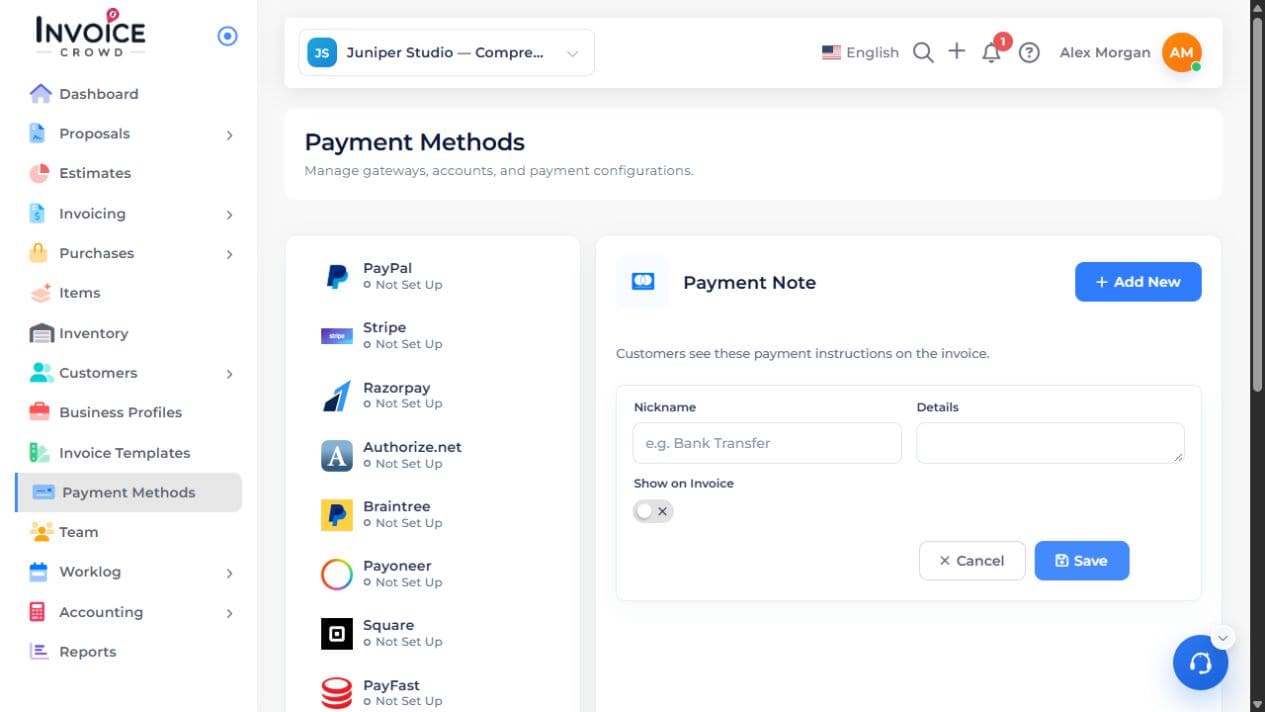
Open Payment Methods → Payment Note → Add New. Enter a recognizable Nickname, such as Bank Transfer, and the instructions under Details. Turn on Show on Invoice when those instructions should appear. If a position choice is offered, review it, then choose Save.
2. Add them to the invoice
In the invoice editor’s Payment Methods panel, enable the saved instructions. Save and preview the customer page. Check the payee, reference, and information shown before sharing.
3. Check the actual deposit
When the transfer arrives, review Manage Payments → History. Record the amount, date, and receiving account once if it is not already there. Viewing bank details does not mark an invoice paid.