
Use a task to group hours for a particular piece of project work.
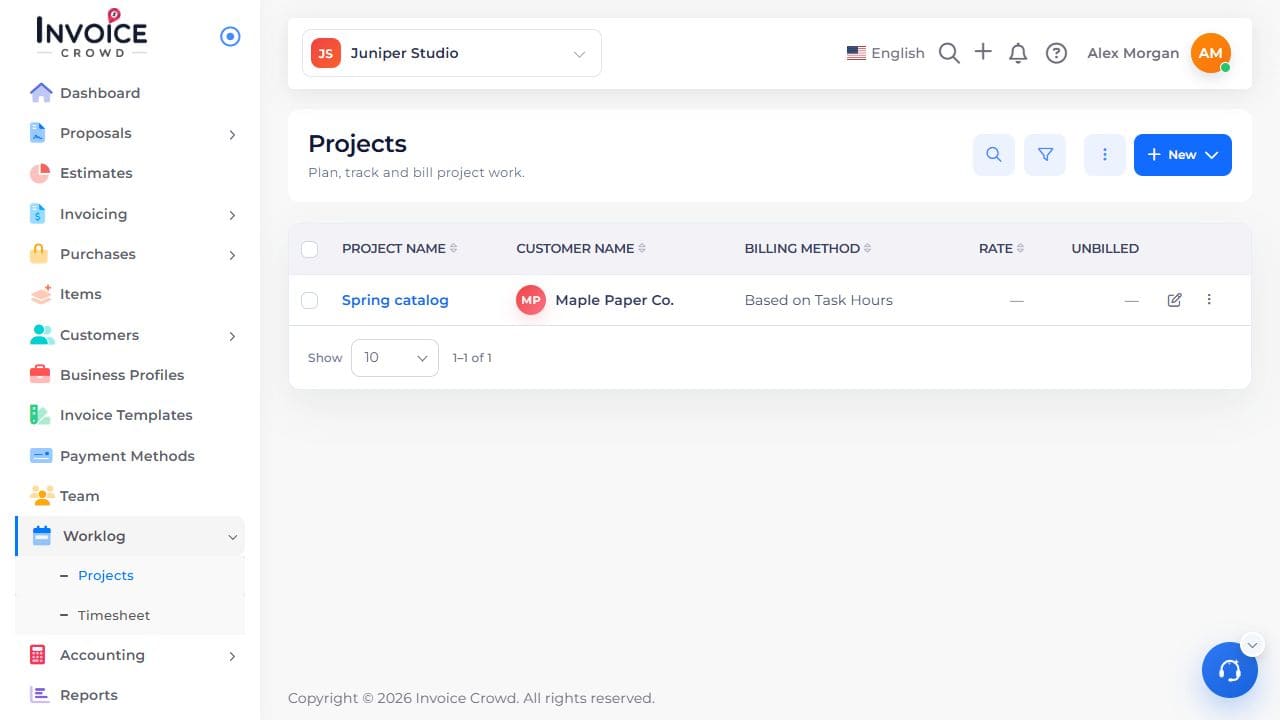
1. Open the project
Go to Worklog → Projects. Select the project name. Check the customer shown under the name.
2. Find New Task
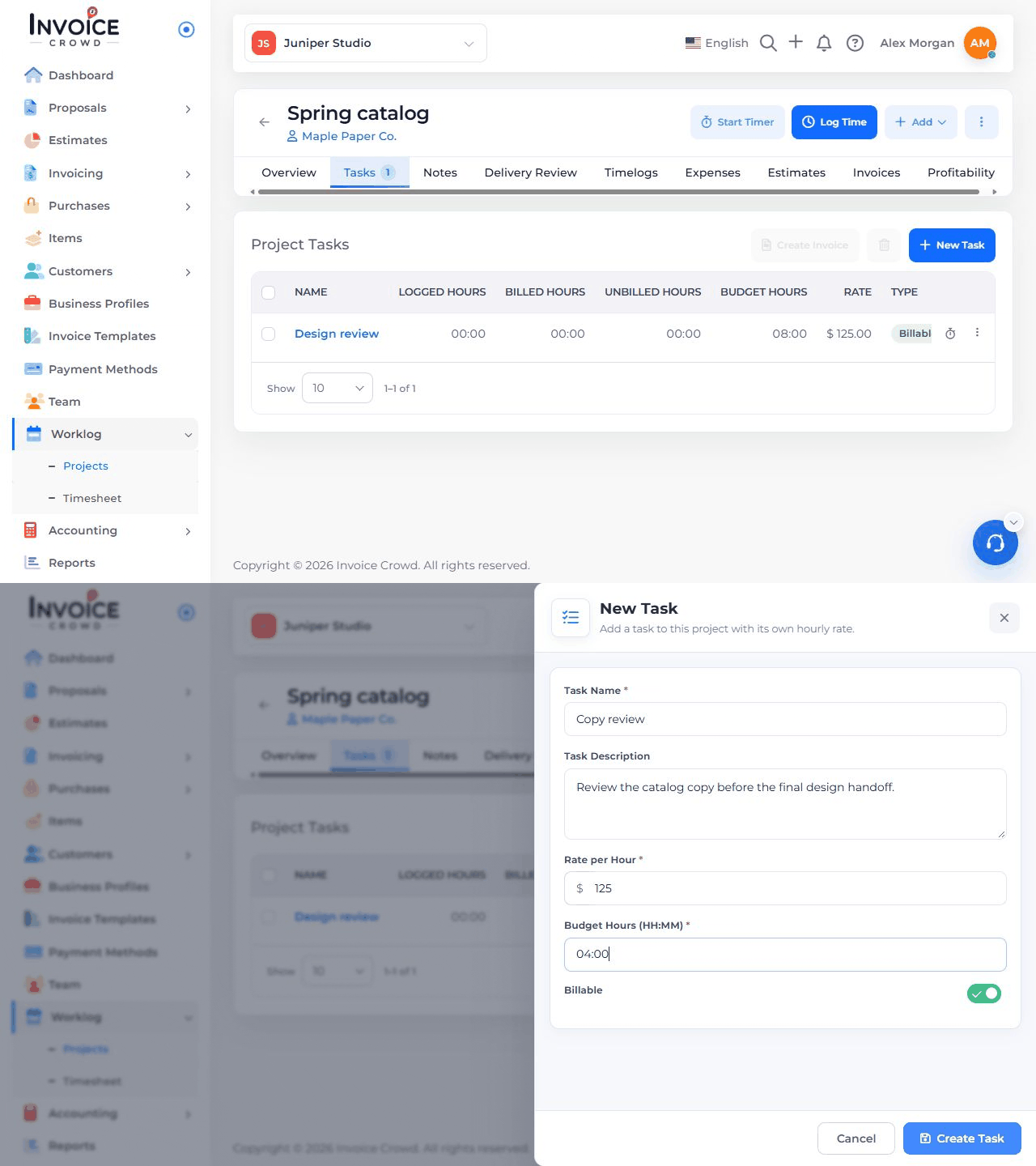
Open the project’s Tasks tab and choose New Task. The short animation shows where the form opens.
3. Enter the task details
Enter the Task Name and an optional Task Description in the open New Task form.
4. Set billing and hours
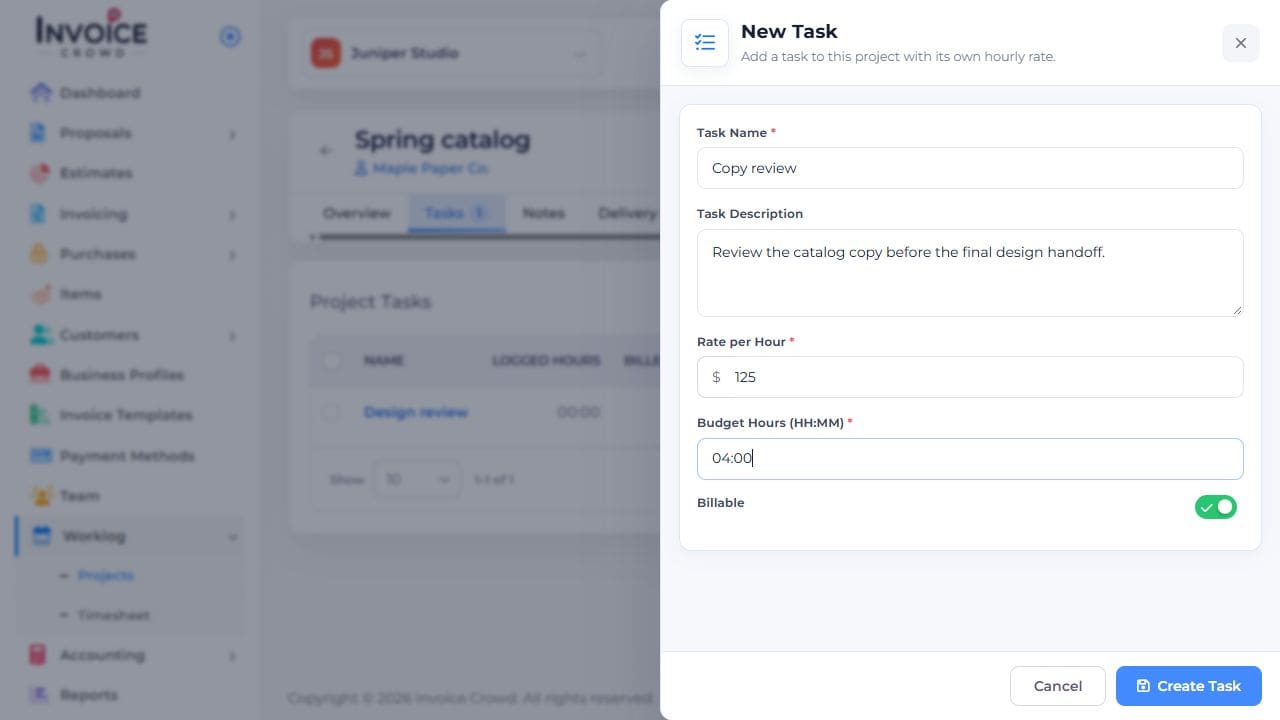
If the project bills by task, enter its hourly rate. If it budgets time per task, enter the budget in hours and minutes. Review Billable if shown.
5. Create and check
Choose Create Task. Confirm the task appears in the project’s Tasks table with the expected rate and billable status.