
Use email verification when an estimate needs a one-time code before the customer can accept it.
1. Open Document Options
Open Business Profiles. Select Edit beside the business you want to change, then choose Document Options, then Estimates.
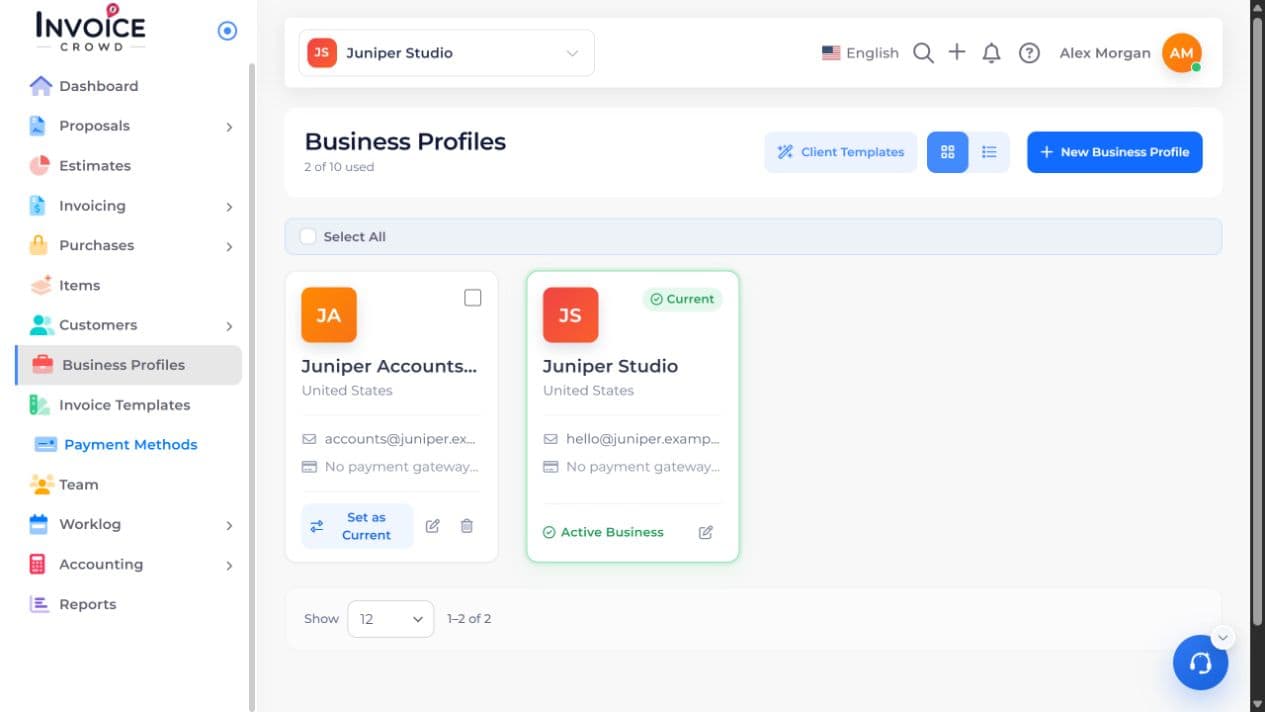
2. Estimate Options
Under Estimate Options, find Enable OTP Verification. OTP is the one-time code sent to the customer’s email address.
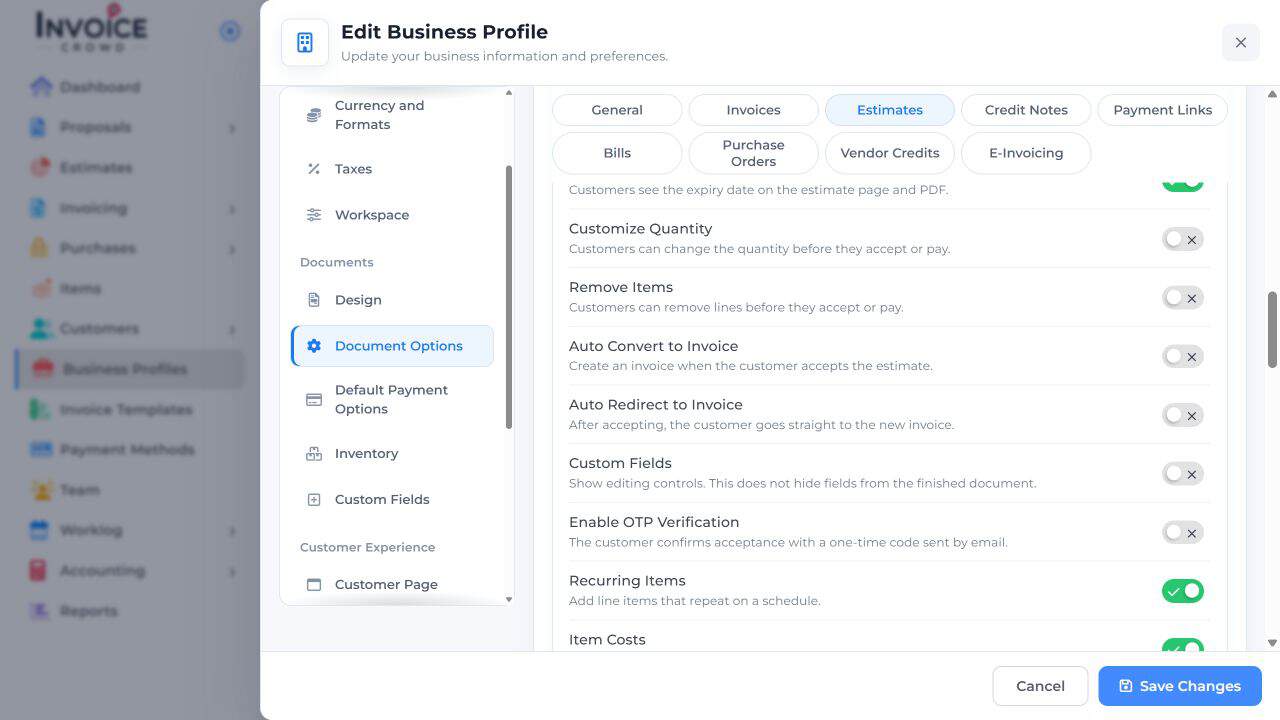
3. Set your preference
Turn the setting on to require the code, or off if your business intends to accept approval without that check.
4. Save Changes
Select Save Changes. Review the approval settings on the intended estimate before sending it. Turning this off removes that email check.