
Send documents from a Gmail or Google Workspace address that supports app passwords.
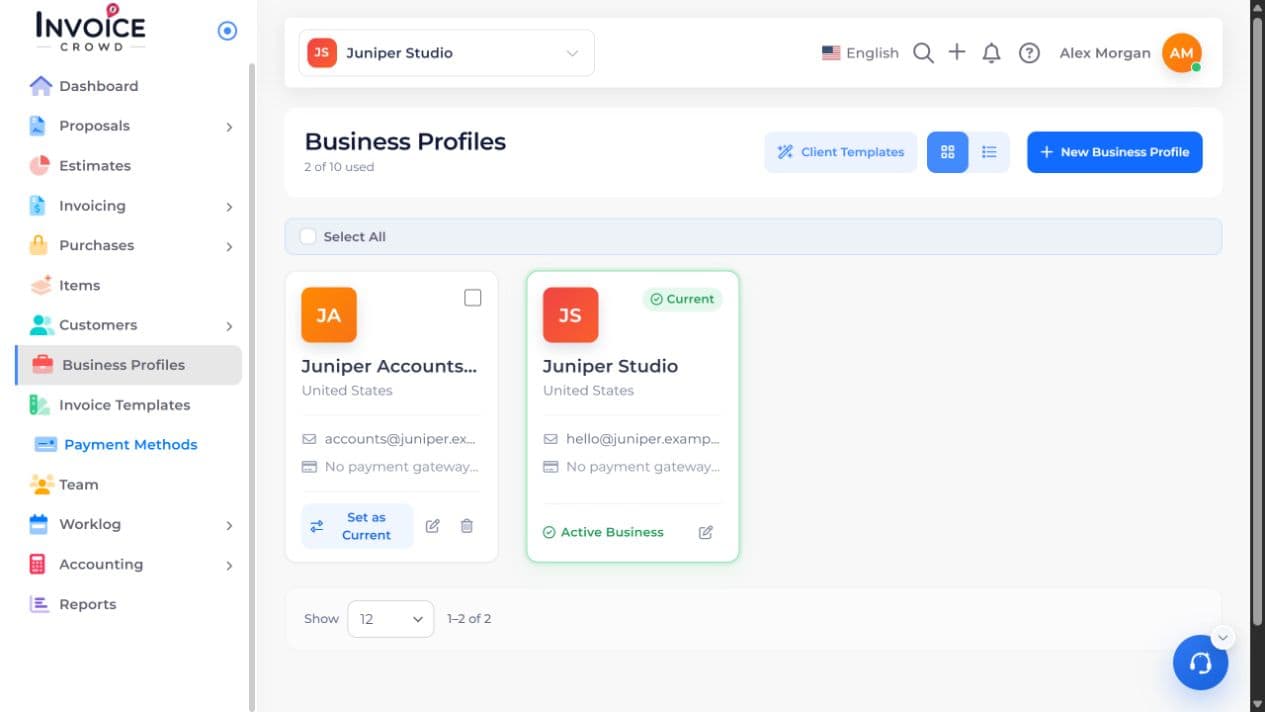
1. Open the business
In Business Profiles, select Edit beside the business that should send the messages. Select Sending Server.
2. Choose Gmail App Password
Turn on Gmail App Password. If this is a new business profile, save the profile first.
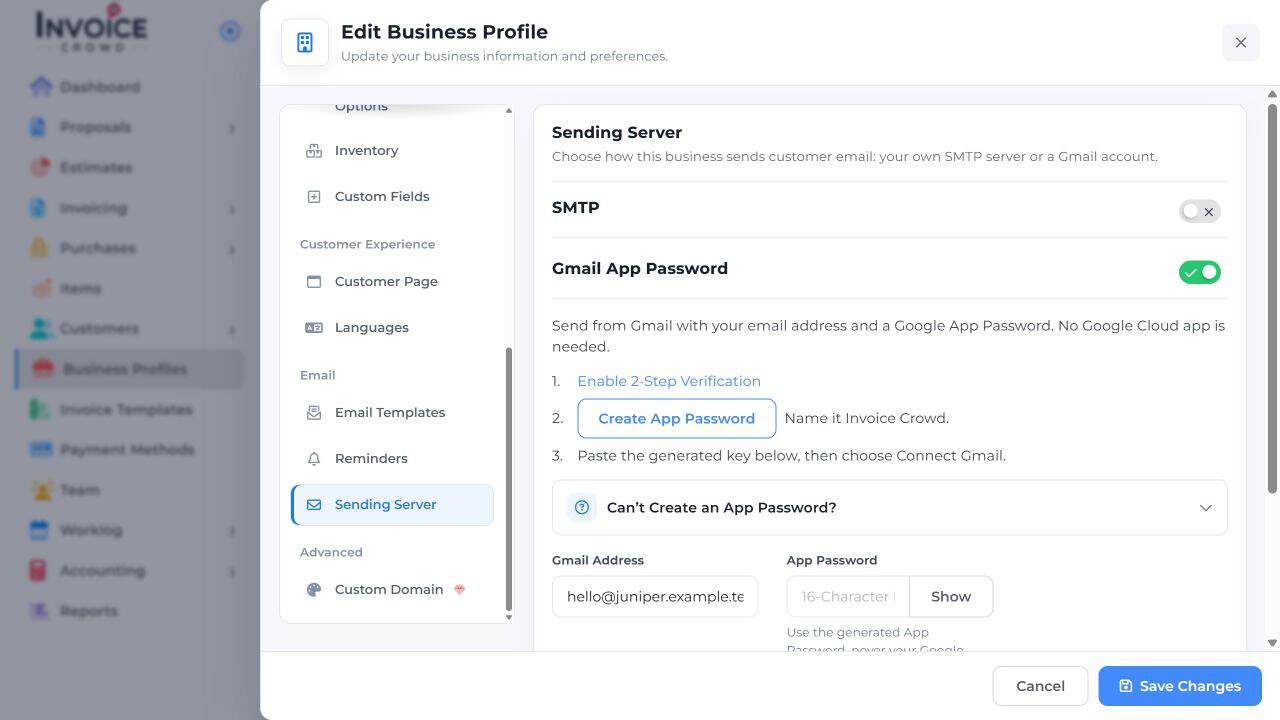
3. Enter the account details
Enter the Gmail address and the app password generated for that same Google account. Use the generated password, not your everyday Google password. See Google’s app-password instructions if you need to create one.
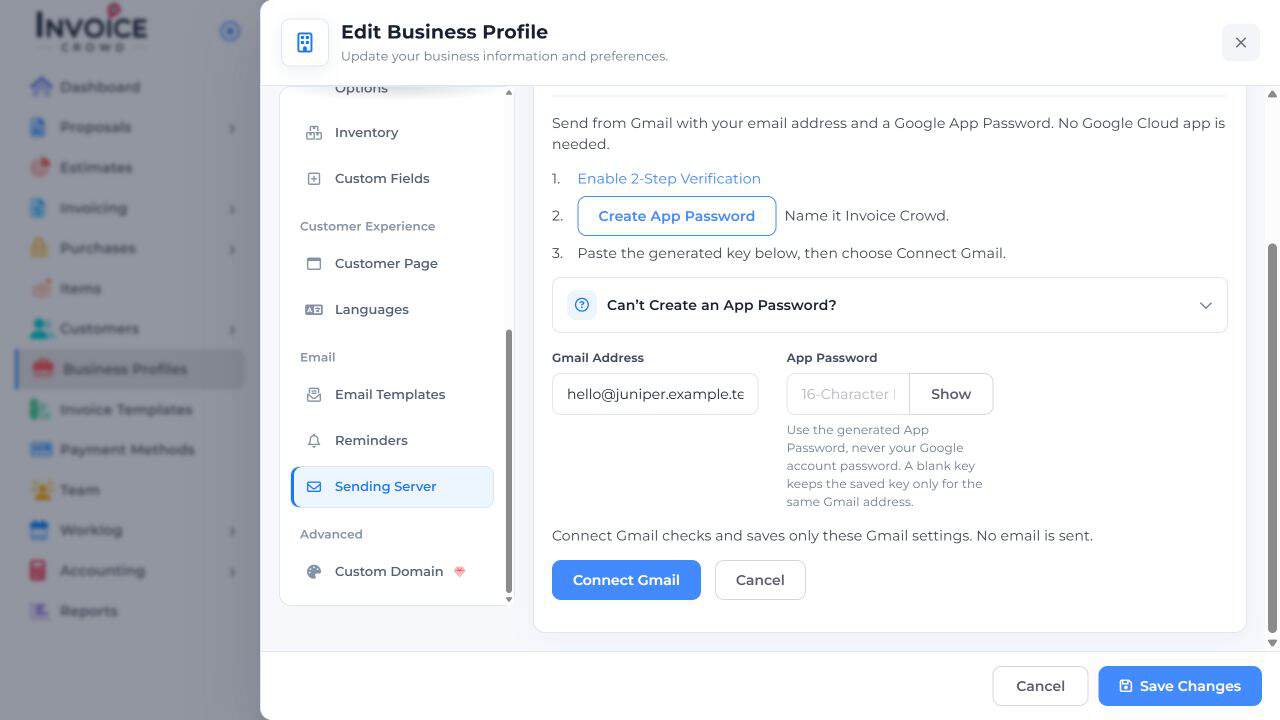
4. Connect and check
Choose Connect Gmail. Check for the connected status and the intended address. This saves the Gmail settings without sending a message. If the option is disabled, ask the owner or a teammate who can manage integrations.
Google requires 2-Step Verification for app passwords. Some managed accounts, security-key-only accounts, and accounts with Advanced Protection do not offer them.