
Record the amount you actually paid and leave any remaining supplier balance outstanding.
1. Open the bill’s history
Find the bill under Purchases → Bills. Open Actions → Report to review History and check whether the payment is already recorded.
2. Choose Record payment
Use the bill’s Actions → Record Payment, or choose Record Payment under Purchases → Payments Made. Check the vendor and bill balance.
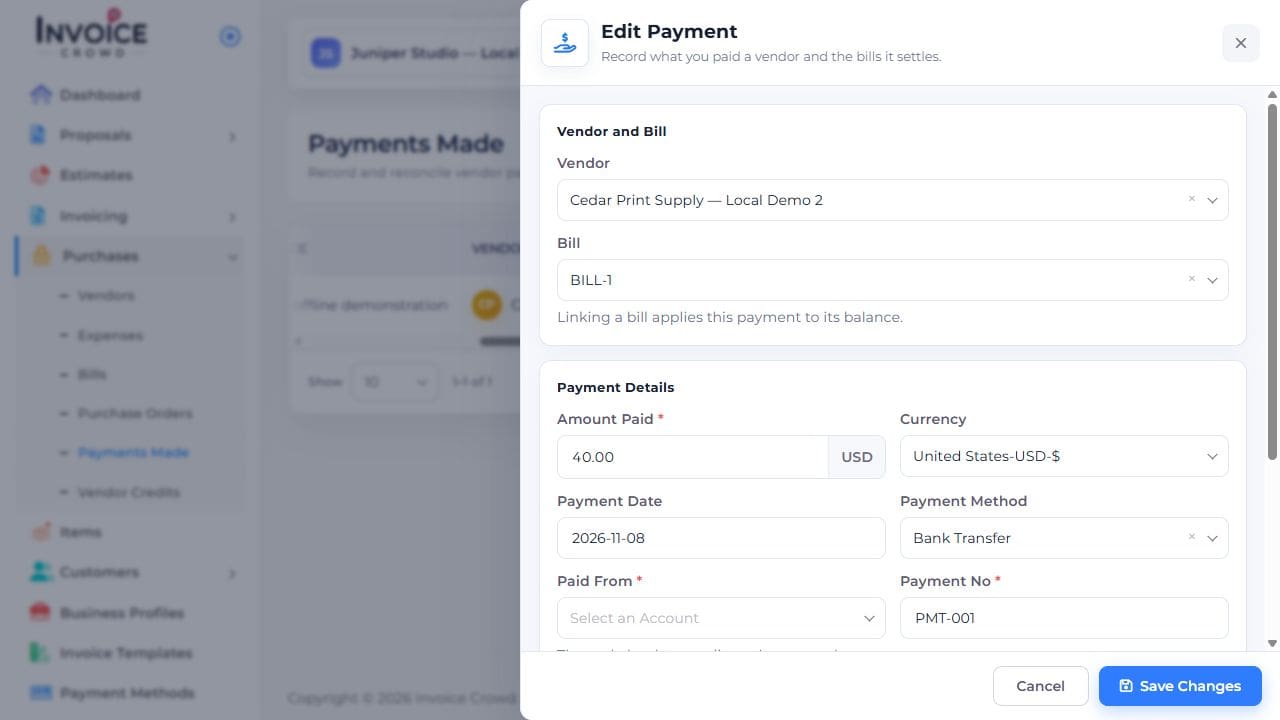
3. Enter the actual payment
Enter Amount Paid and Payment Date. Review Currency, Payment Method, and Paid From. Add a Reference if needed. For a partial payment, enter only what you paid.
4. Save and check
Save, then review History and the remaining bill balance. Do not record an unpaid remainder as another payment; a genuine vendor reduction belongs in Vendor Credits.