
Agree the migration scope before importing contacts, unpaid documents, or starting balances.
1. Choose the starting point
With your accountant, agree the opening date and which history belongs in Invoice Crowd. Decide whether each old customer or vendor debt will use individual documents or one opening balance.
2. Import contacts and items first
Prepare the supported customer, vendor, and item files. Map their columns and review the import results before adding documents that rely on those records.
3. Bring in debt once
Use invoice import for genuine open customer invoices. Enter supplier bills through their supported bill form, or use the agreed customer/vendor Opening Balance for starting debt. Do not record the same debt through both paths.

Opening Balances is one way to bring the agreed starting position across.
4. Enter the remaining opening position
Review cash, other accounts, currency, and opening equity with your accountant. Check that imported documents and balances do not duplicate old sales, purchases, or payments.
5. Reconcile the totals
Compare customer debt, vendor debt, bank balances, and the trial balance with the source system before starting normal daily work.
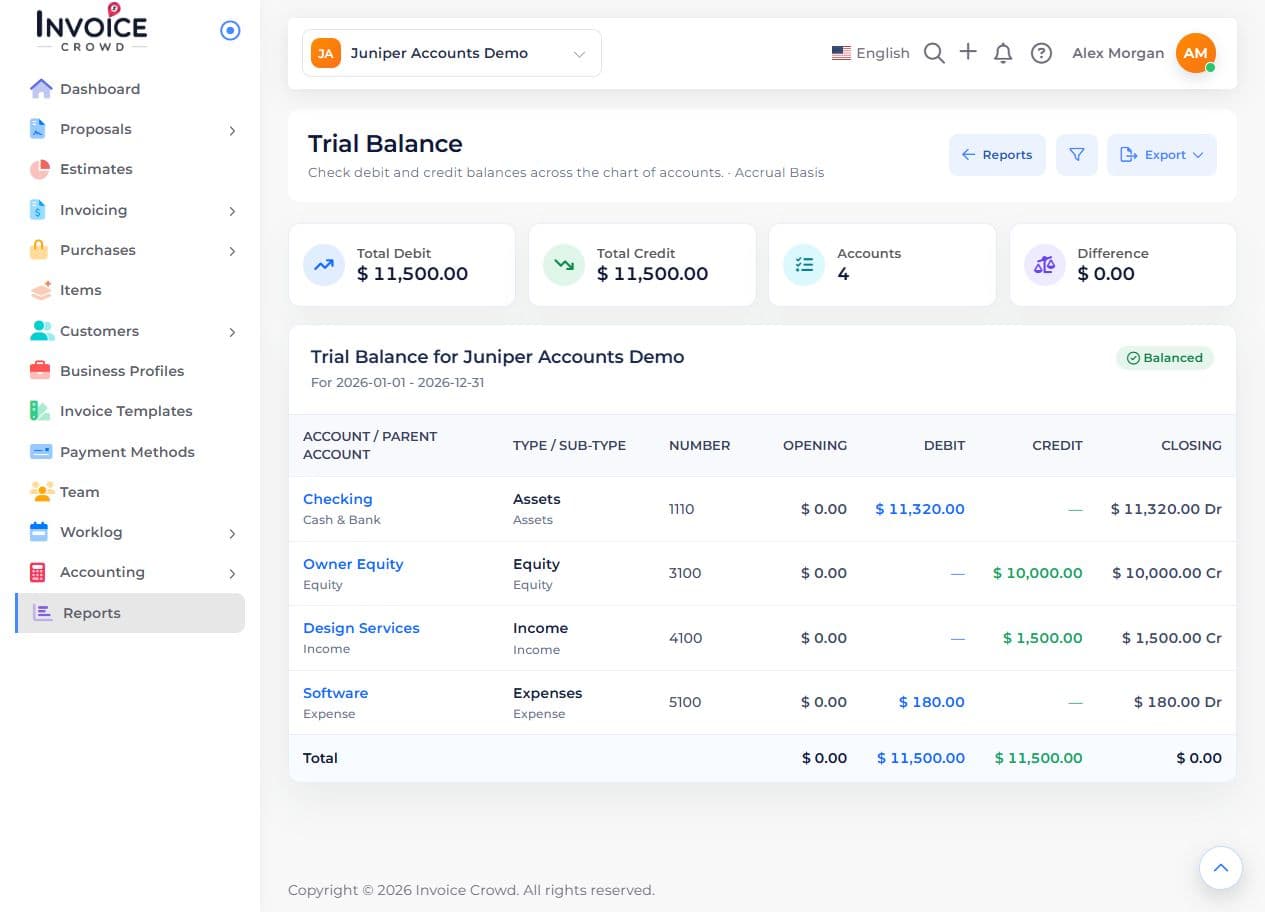
Use the trial balance and supporting customer/vendor records to compare the starting totals.