
Choose which reminder schedules a new invoice starts with. You can still change the choices on an individual invoice.
1. Open Reminders
Open Business Profiles. Select Edit beside the business you want to change, then choose Reminders.
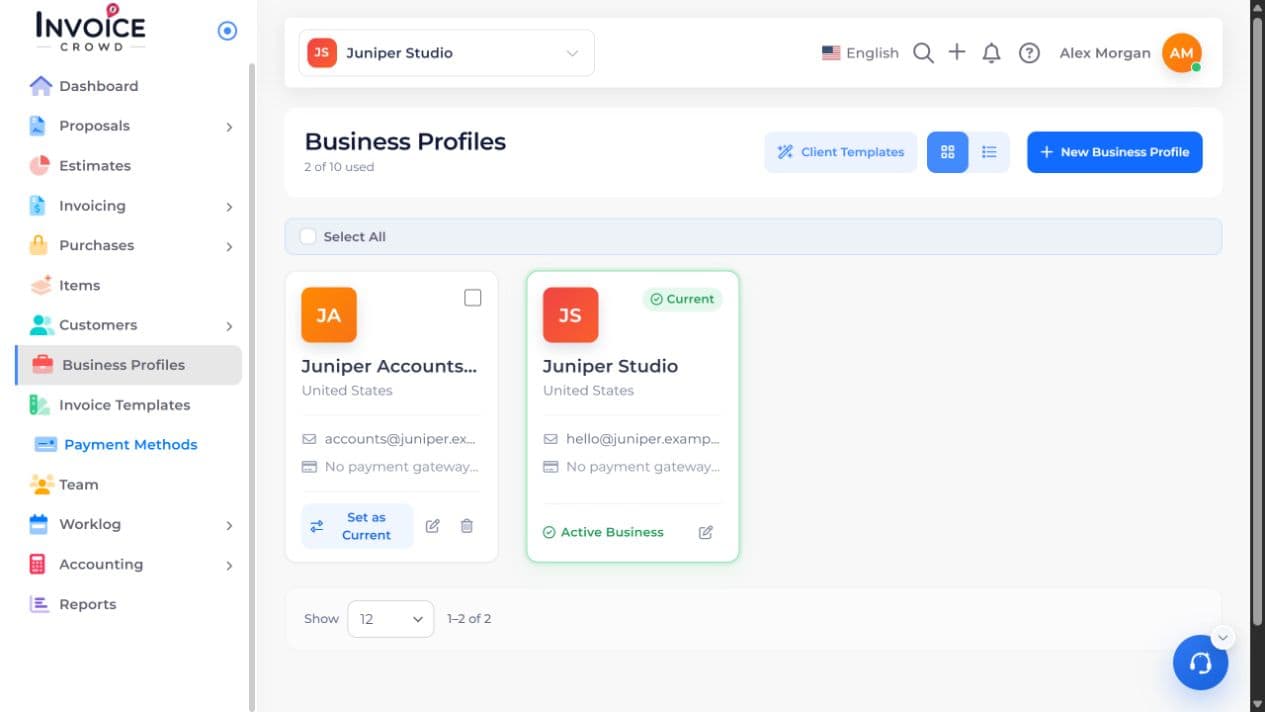
2. Invoice Reminder
Under Invoice Reminder, find the schedule you want. Turn on Enable for that row. If you need a different schedule, select New Reminder and review its timing and message.
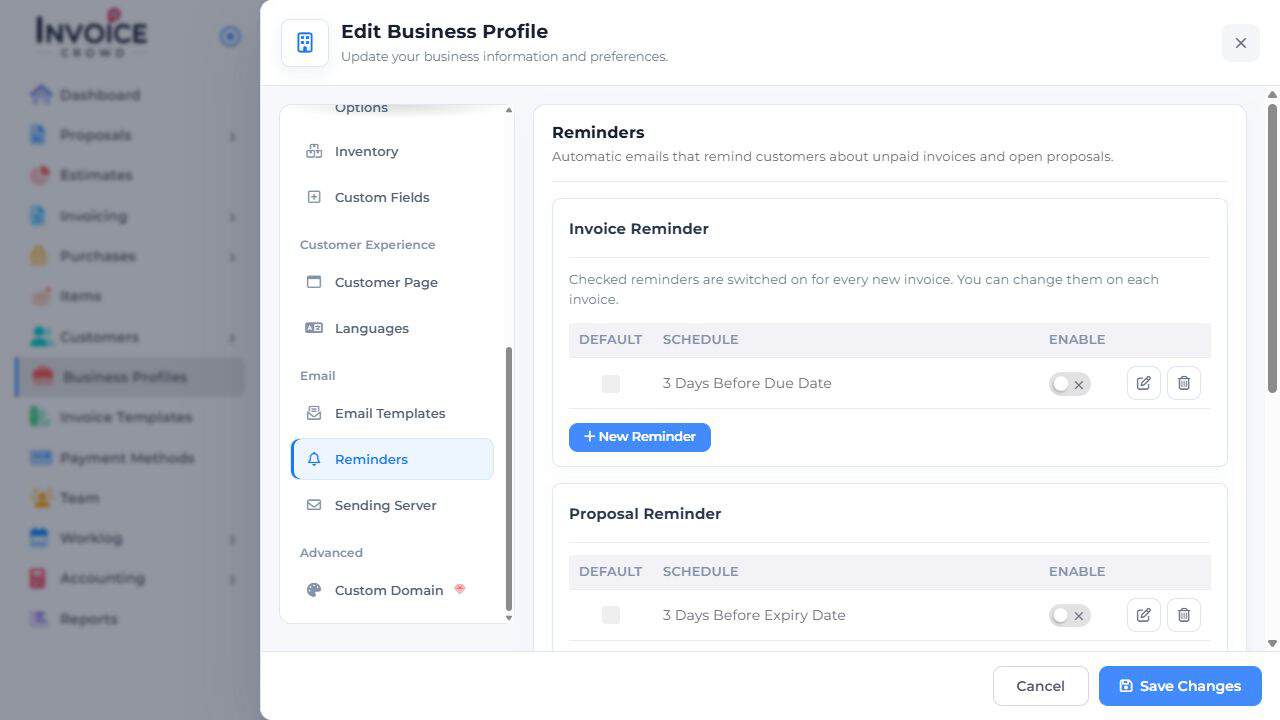
3. Default
Check Default beside each schedule you want on new invoices. Leave the boxes clear if new invoices should start with no reminders.
4. Save Changes
Select Save Changes. Open a new invoice and review its reminder choices. Existing invoices keep their own settings.