
Payments Made helps you trace supplier payments to their bills and paying accounts.
1. Open Payments Made
Go to Purchases → Payments Made. Search or filter for the vendor, date, amount, or reference you need.
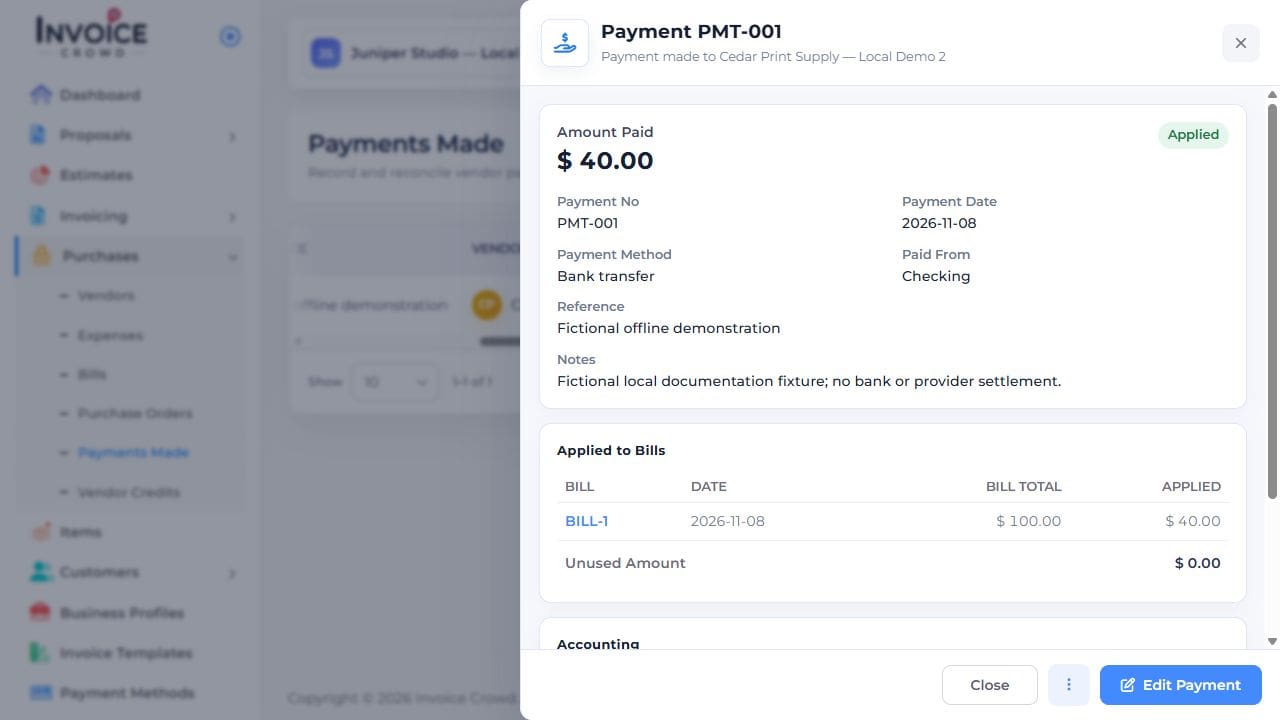
2. Match the entry
Check the vendor, currency, amount, date, method, and reference. Open its linked bill to review which balance it settled.
3. Check bill history
For a bill-linked payment, open the bill’s Actions → Report to review History. To correct an outgoing payment, open View Payment in Payments Made and choose Edit Payment when available.
4. Investigate a difference
Check the business and date filters and compare the actual bank or provider transaction. If the entry is wrong, review its supported Undo action; a genuine supplier refund uses a separate vendor-credit or refund flow.