
Show your business logo on customer documents.
1. Open Profile
Open Business Profiles. Select Edit beside the business you want to change, then choose Profile.
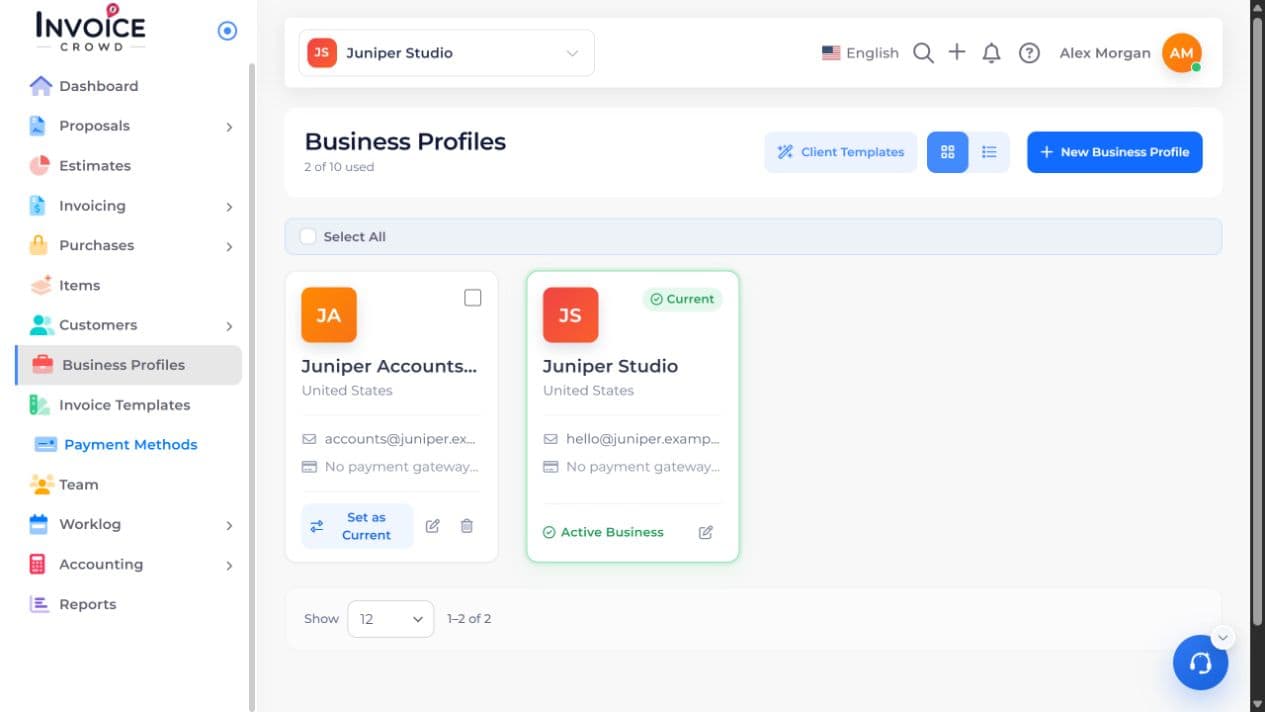
2. Business Logo
Under Business Logo, select Upload Logo. Choose a JPG or PNG no larger than 2 MB.
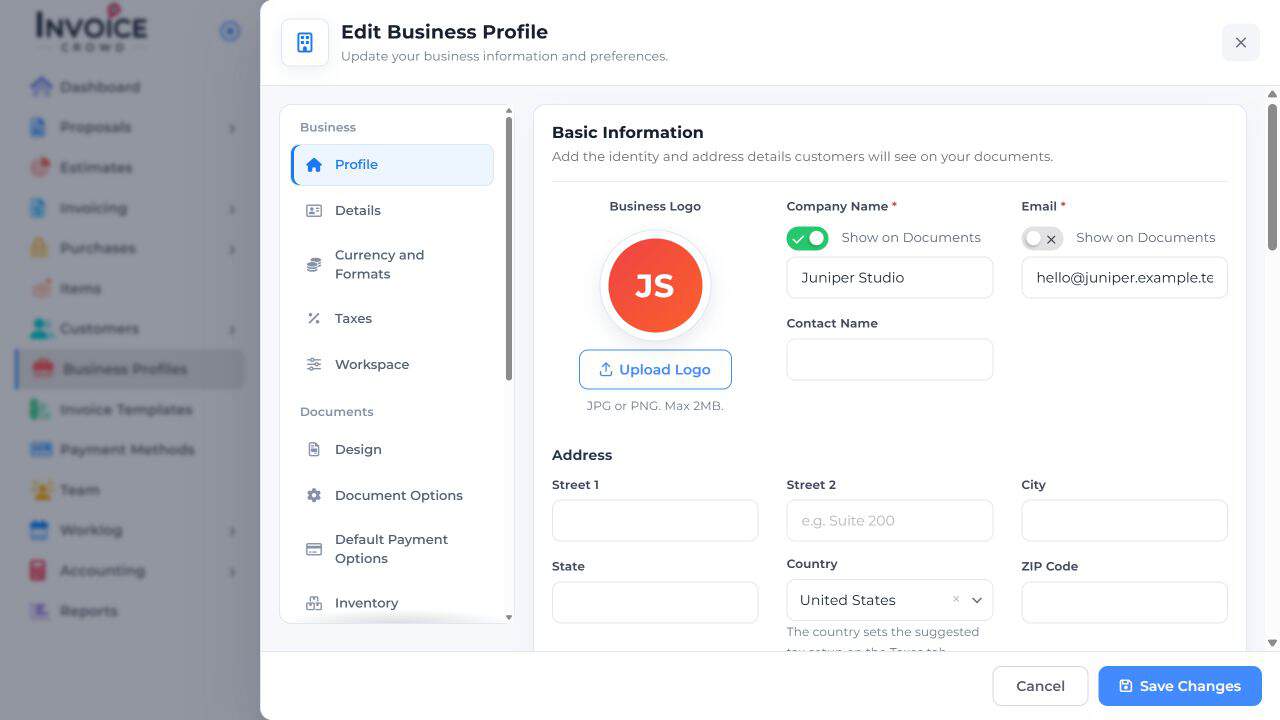
3. Set your preference
Select the image you want to use and return to the profile. Check the thumbnail.
4. Save Changes
Select Save Changes. Preview a new invoice using this business to check the logo at its actual size.