
Use the PayPal Business setup when your Invoice Crowd form asks for a client ID and secret.
1. Choose the PayPal form
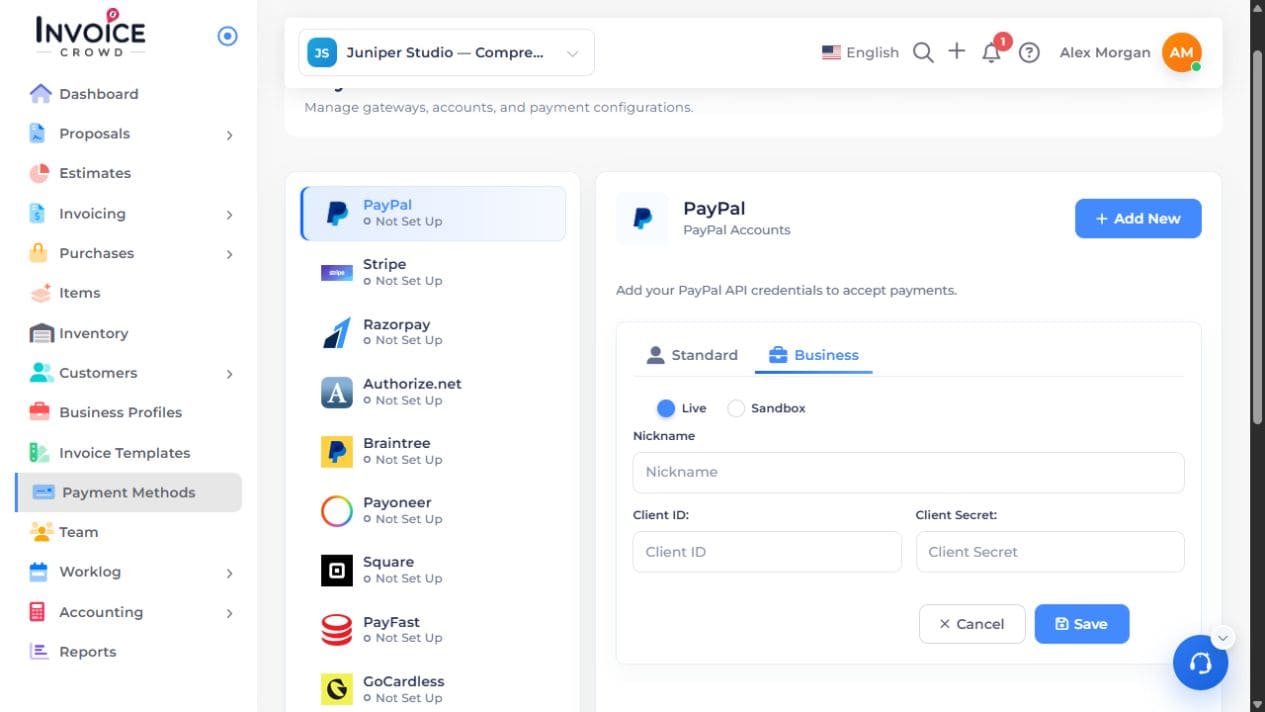
Open Payment Methods → PayPal → Add New → Business. Choose Sandbox for testing or Live for the live account.
2. Find matching credentials
Follow the PayPal setup guide to open the Developer Dashboard. Choose Apps & Credentials in the same live or sandbox mode. Select the app for the intended business and copy its client ID and secret.
3. Save in Invoice Crowd
Enter the account name and credentials only in the PayPal form. Save, then check the listed account and mode. A sandbox account is not a live payment method.
4. Check an invoice
Offer the saved method on an eligible invoice and preview the customer’s choices. You do not need to complete a purchase to check whether PayPal is offered.