
Let a customer change the number of units on an estimate before they accept it.
1. Open Document Options
Open Business Profiles. Select Edit beside the business you want to change, then choose Document Options, then Estimates.
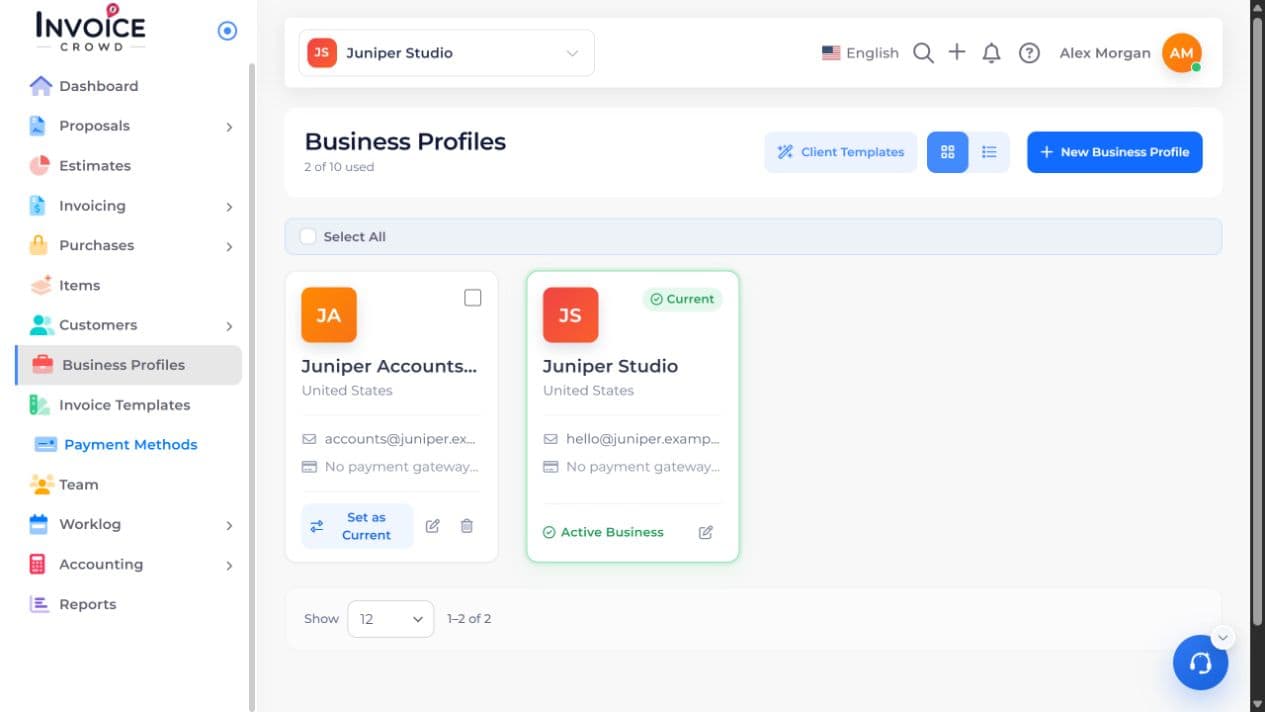
2. Choose the setting
In Estimate Options, turn on Customize Quantity. Leave it off if the quoted quantity is fixed.
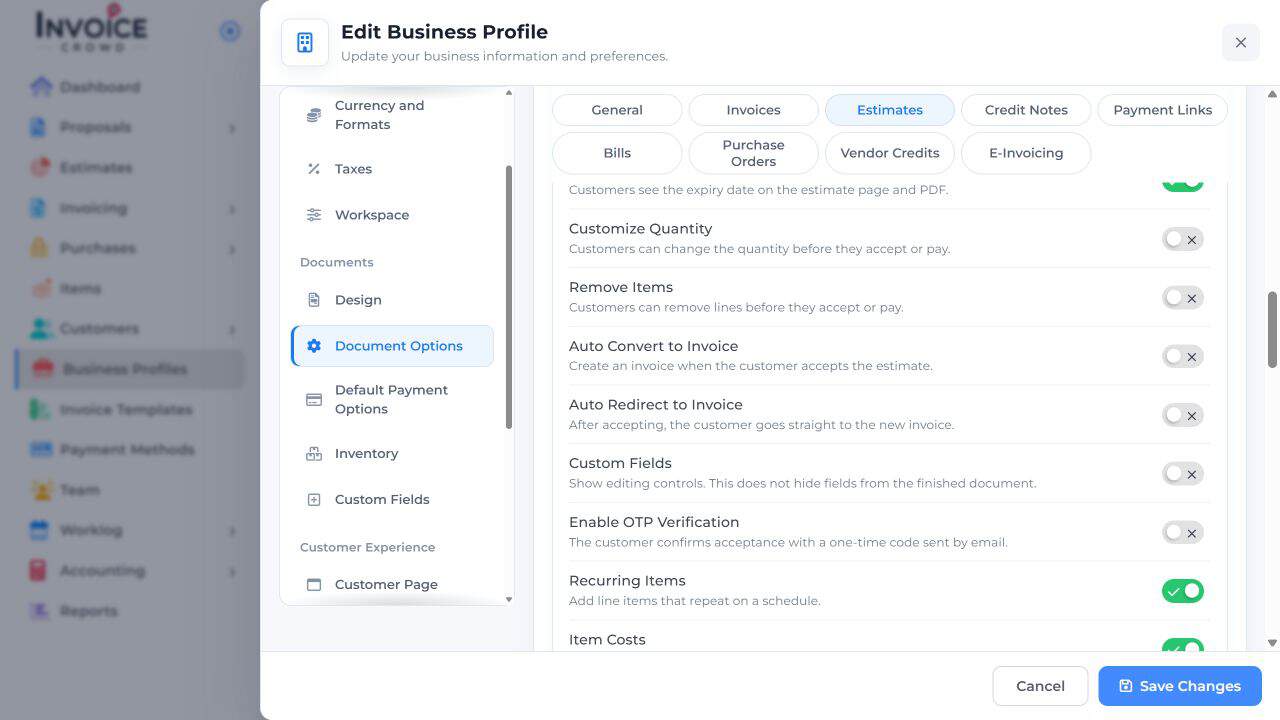
3. Save Changes
Select Save Changes. Create or review the intended estimate and check its quantity setting before sharing it.
4. Save and check the result
Preview the customer copy. A quantity change can change the total; review the final selection on the accepted estimate.