
Choose whether accepting an estimate creates an invoice and takes the customer to it.
1. Open Document Options
Open Business Profiles. Select Edit beside the business you want to change, then choose Document Options, then Estimates.
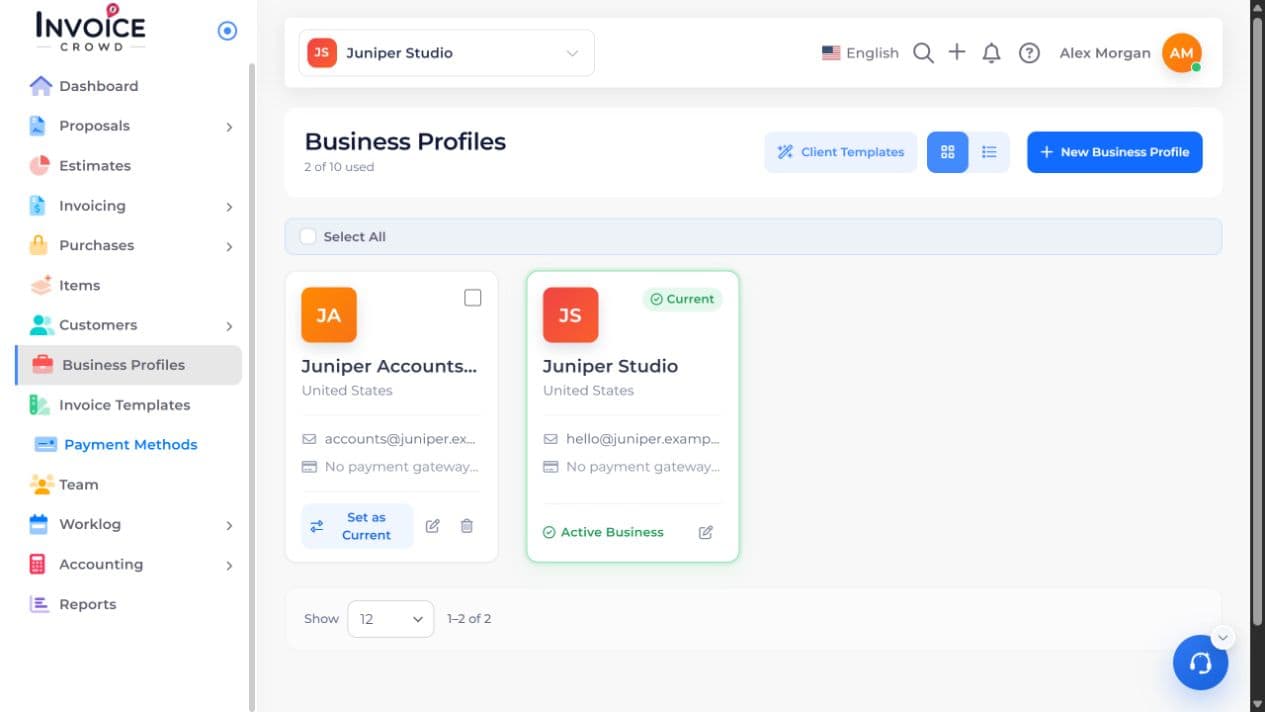
2. Estimate Options
Under Estimate Options, turn on Auto Convert to Invoice if acceptance should create an invoice.
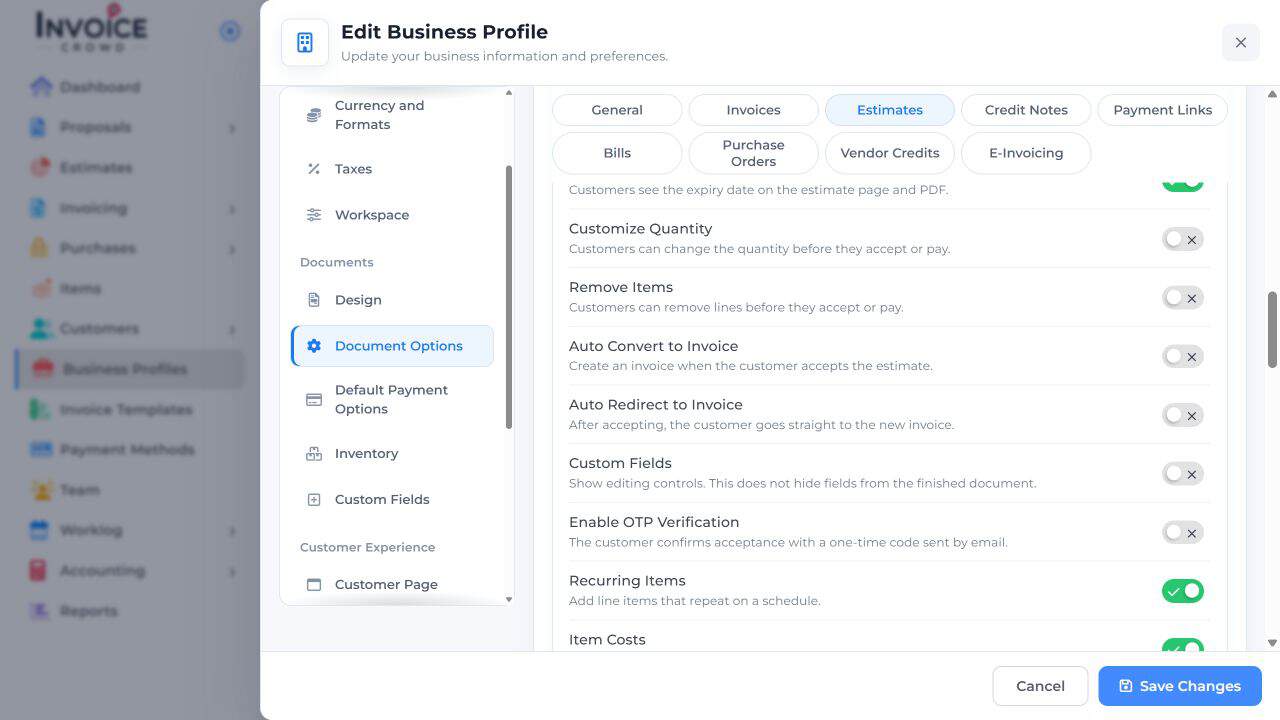
3. Auto Redirect to Invoice
Turn on Auto Redirect to Invoice only if the customer should also open the new invoice after accepting.
4. Save Changes
Select Save Changes and review those options on the intended estimate. Acceptance creates the invoice under these settings; it does not record a payment.