
Style the page your customer opens from a document link.
1. Open Customer Page
Open Business Profiles. Select Edit beside the business you want to change, then choose Customer Page.
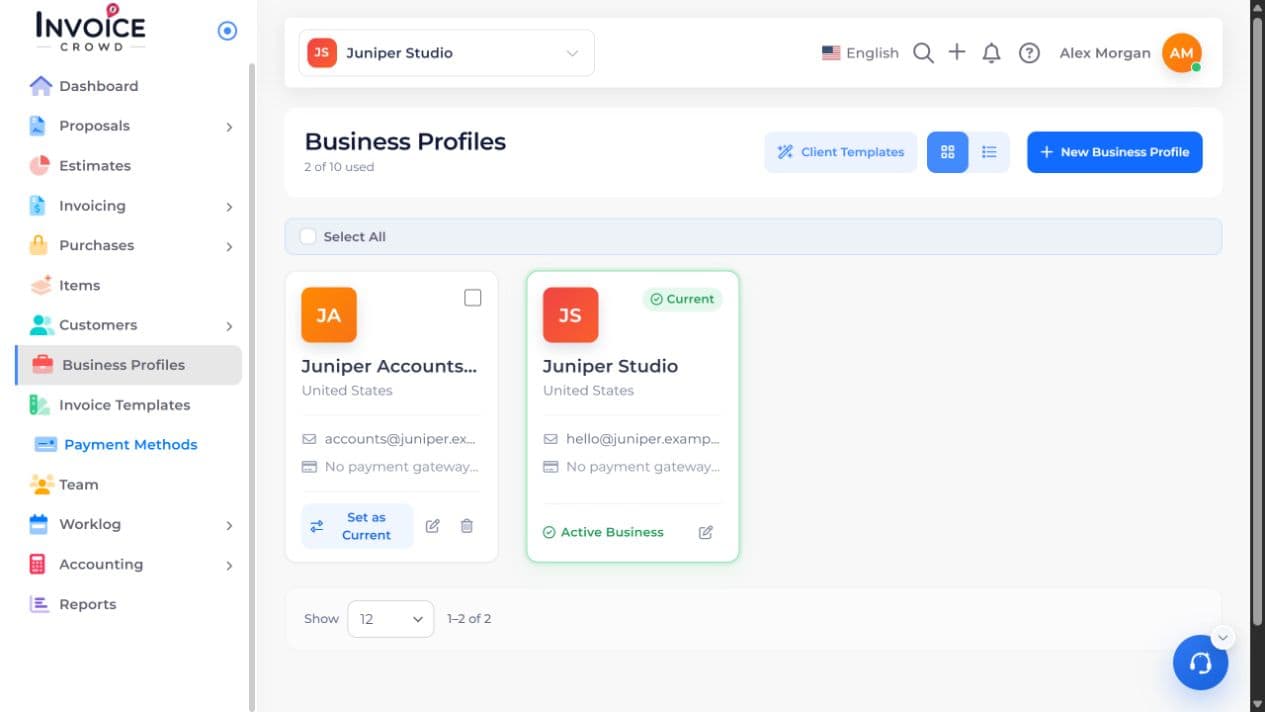
2. Style
Under Style, choose the page style you want. Use the gradient controls to set the background colors. Button Colour changes the buttons separately.
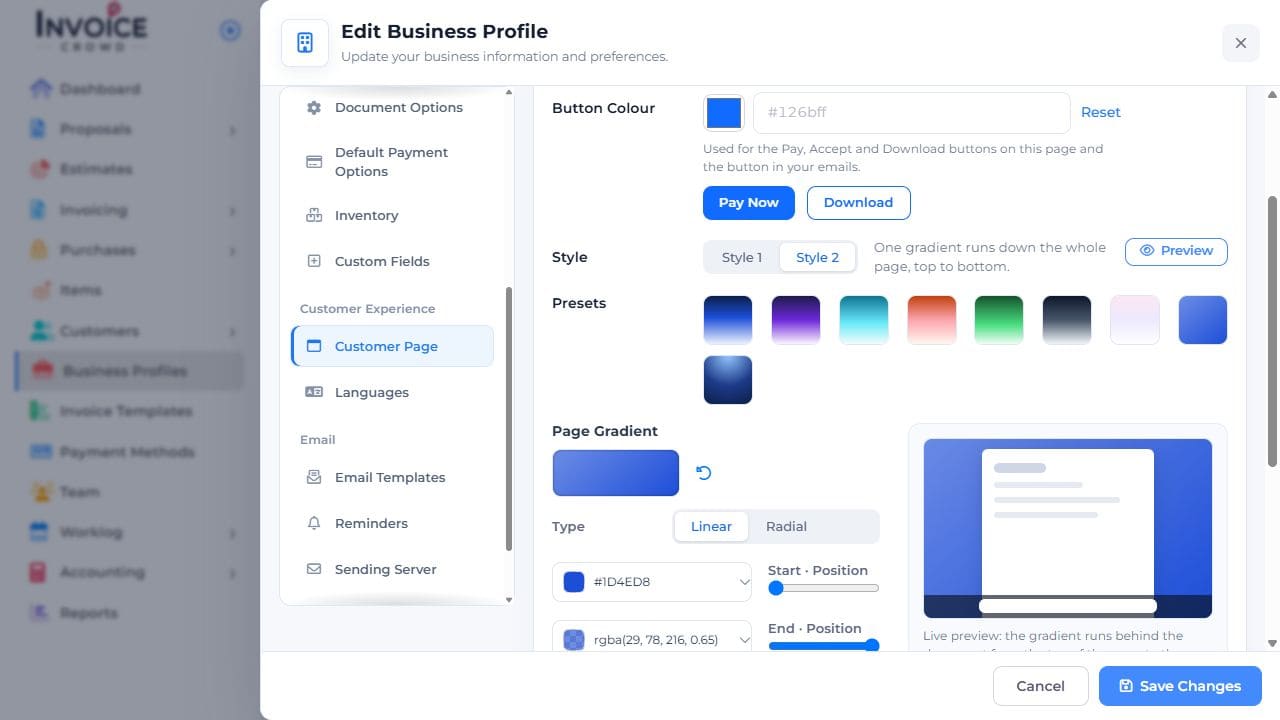
3. Preview
Select Preview and check that the text and buttons remain easy to read.
4. Save Changes
Select Save Changes. Check the customer page again. These settings style the page around the invoice; the PDF uses its document template.