
Choose your app language separately from the languages used for customer pages and emails.
1. Open the language choices
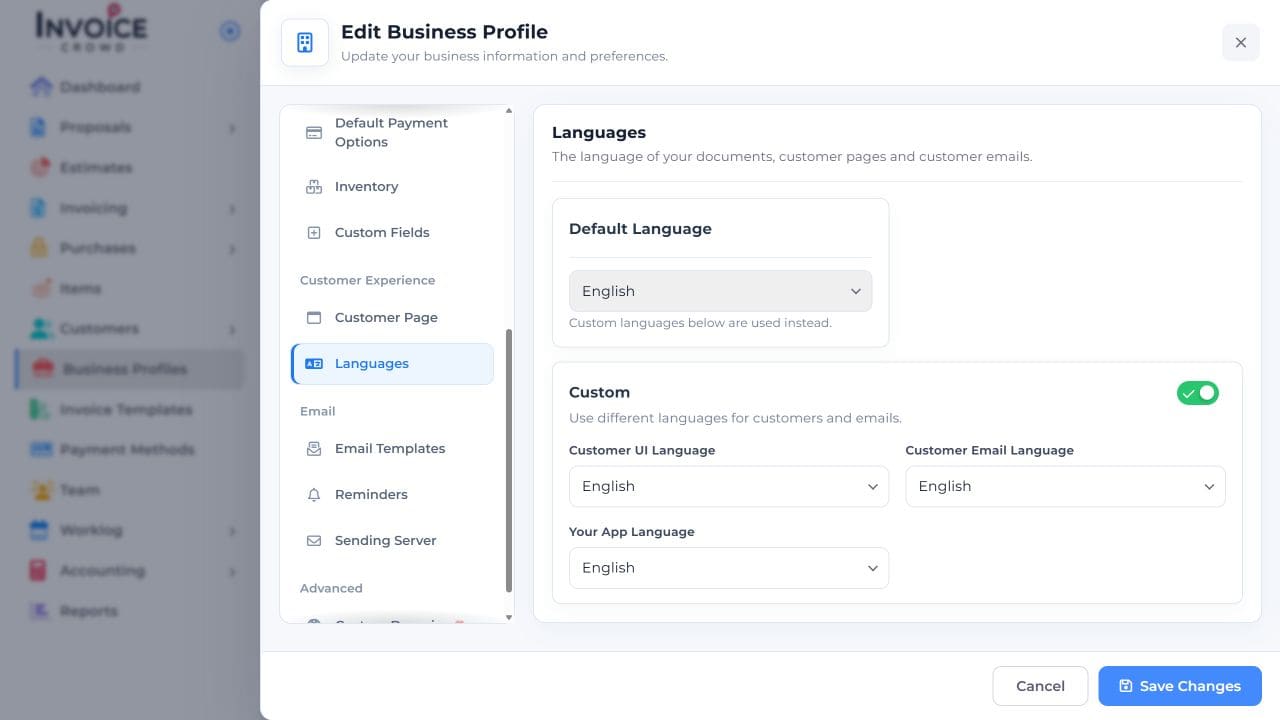
For a quick app-language change, use the language selector in the top bar and choose the desired language. To save separate business preferences, open Business Profiles → Edit → Languages.
2. Set a separate app preference
Under Languages, turn on Custom and choose Your App Language. Review Customer UI Language and Customer Email Language so those retain the intended customer-facing choices.
3. Save Changes
Select Save Changes. Reopen or reload the app and check its navigation and labels.
4. Check customer content separately
If you also changed customer languages, preview a customer document and review the next email before sending. Wording you typed yourself may still need translation.