
Use the customer’s workspace and statement to review what they owe and what has already been recorded.
1. Open the customer
Open Customers and choose Client Workspace beside the intended customer. Check the business and customer name.
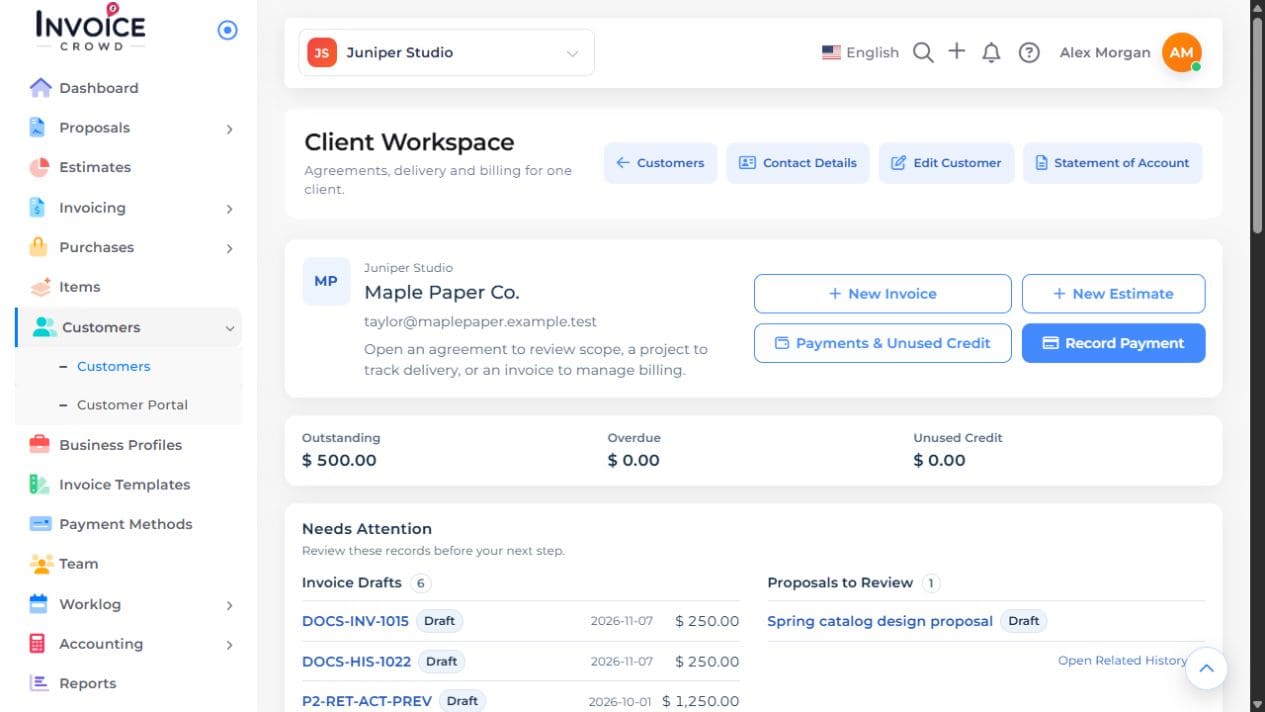
2. Find the documents
Open the relevant agreements, invoices, or projects from that workspace. For received money and unused credit, use Payments & Unused Credit.
3. Review the statement
Choose Statement of Account. Select Activity for a period or Outstanding as of a date, and check the currency.
4. Check the underlying records
Compare an unexpected balance with the invoices, payment history, advances, and credit notes behind it. Download the statement PDF after reviewing its scope.